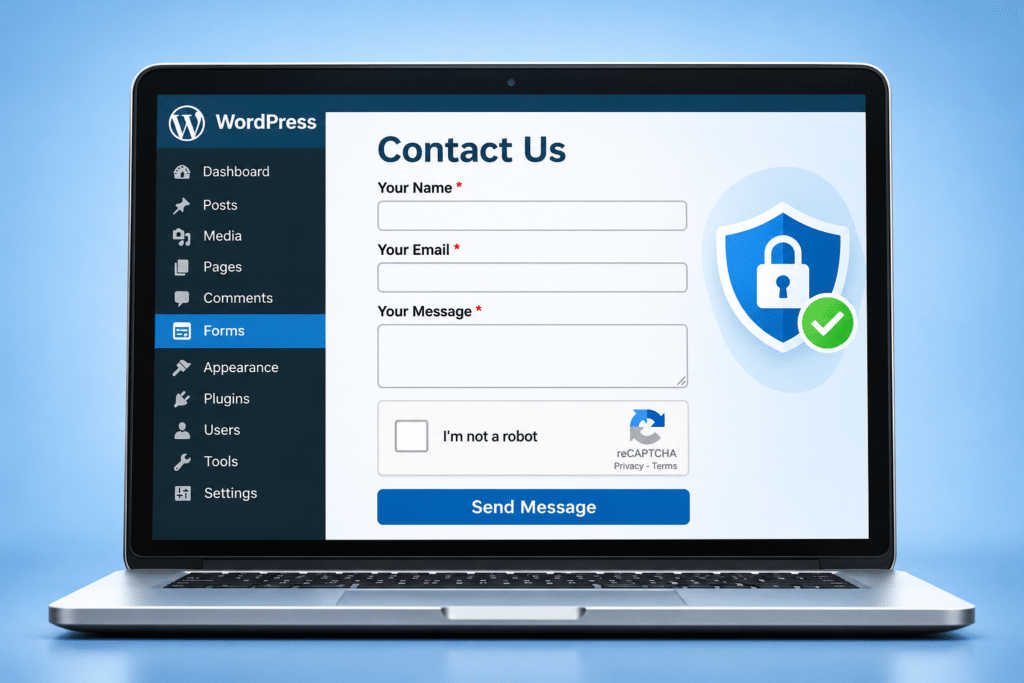
How Do I Stop Spam Enquiries Through My WordPress Contact Form?
You’ve just received another email through your business website. For a moment, you think it might be a new customer asking for a quotation. Then you open it and discover someone offering cheap SEO services, promoting a suspicious website or sending a message that makes absolutely no sense.
One unwanted enquiry might be easy to ignore. But when your WordPress contact form starts receiving dozens of spam messages every day, it becomes a genuine nuisance. Your inbox fills with rubbish, important customer enquiries become harder to spot, and you waste time sorting through messages that were never sent by potential customers.
Fortunately, you don’t have to remove your contact form or make it difficult for genuine visitors to get in touch. WordPress offers several ways to reduce automated spam, including CAPTCHA services, hidden honeypot fields, spam filtering and security rules. The key is choosing protection that blocks unwanted messages without discouraging real customers.
Quick Answer
To stop spam enquiries through your WordPress contact form, start by enabling the anti-spam protection available in your existing form plugin. This might include a honeypot field, CAPTCHA service or built-in spam filtering.
If spam continues, consider adding Cloudflare Turnstile, Google reCAPTCHA or a compatible anti-spam service such as Akismet. You can also use carefully configured rate limiting, form validation and security rules to reduce repeated automated submissions.
Always test your contact form after making changes. The aim is to block spam without accidentally preventing genuine customers from requesting quotes, booking appointments or contacting your business.
Why Am I Getting Spam Through My WordPress Contact Form?
Your WordPress contact form is designed to allow visitors to send information to your business. Unfortunately, automated programs known as bots can also discover public forms and attempt to submit messages through them.
These bots may search large numbers of websites, looking for forms that don’t have effective protection. Once they find one, they can submit promotional messages, suspicious links or other unwanted content repeatedly.
For example, a local cleaning company might receive messages advertising cryptocurrency schemes, overseas marketing services or unrelated products. The business owner might assume someone is manually filling in the form, but many of these messages can be generated automatically.
Spam can also come from real people. Some businesses use contact forms to send unsolicited sales pitches, while others may attempt to promote websites by placing links in message fields. This means that blocking automated bots won’t necessarily eliminate every unwanted enquiry.
Receiving spam doesn’t automatically mean your WordPress website has been hacked. A publicly accessible contact form can attract unwanted submissions even when the website itself is secure.
How to Recognise Contact Form Spam
Spam enquiries aren’t always easy to identify. Some contain obvious advertising, while others are written to look like genuine business messages.
Common examples include:
- Messages promoting unrelated products or services.
- Repeated offers for SEO, backlinks or website marketing.
- Enquiries containing suspicious links.
- Messages written in random words or meaningless text.
- Multiple identical submissions within a short period.
- Messages containing unusual characters or automated-looking content.
- Generic enquiries that have nothing to do with your business.
However, don’t assume that every unusual message is spam. A genuine customer might write a short enquiry, use imperfect English or include a link to something they want you to look at.
For example, someone asking a kitchen designer for a quotation might include a link to a photograph or product they like. Blocking every message containing a website address could prevent that legitimate enquiry from reaching the business.
It’s better to use several sensible checks than rely on one aggressive rule that rejects anything unusual.
What to Check Before Installing Anti-Spam Plugins
Before adding another WordPress plugin, check whether your existing contact form already includes anti-spam features. Many popular form plugins provide protection that simply needs to be enabled or configured correctly.
Identify Which Contact Form Plugin You Use
Log into your WordPress dashboard and check the installed plugins. You may find Contact Form 7, WPForms, Gravity Forms, Fluent Forms, Formidable Forms or another form builder.
If your contact form was created using a page builder such as Elementor, its form settings may be managed within that builder rather than through a separate contact form plugin.
Check Existing Anti-Spam Settings
Open the form settings and look for options labelled Spam Protection, Honeypot, CAPTCHA, Anti-Spam or Security. The exact wording varies between plugins and versions.
You might discover that your form already supports a useful protection feature but it hasn’t been activated. In that case, enabling the existing feature may be simpler than installing another plugin.
Create a Backup Before Major Changes
Basic form settings can often be adjusted without affecting the rest of the website. However, if you plan to replace plugins, change security rules or modify website code, create a backup first.
Test your contact form after each change so you can identify any setting that prevents genuine enquiries from being submitted.
Use a Honeypot to Catch Automated Spam
A honeypot is a hidden field designed to catch automated programs that fill in contact forms. The field is normally hidden from human visitors, so genuine customers don’t need to complete anything extra.
Some basic bots attempt to fill in every field they find in a form. If they complete the honeypot field, the website can treat the submission as suspicious and reject it.
Why Honeypots Are Useful
Honeypots can reduce certain types of automated spam without asking visitors to solve puzzles or complete additional verification steps.
This makes them attractive for small business websites where the contact process needs to remain quick and straightforward.
For example, someone requesting an emergency plumbing quotation should be able to enter their details and submit the form without unnecessary interruptions.
Can Bots Get Around Honeypots?
Yes. More advanced bots can recognise and avoid hidden fields. A honeypot is therefore a useful first layer of protection rather than a complete solution.
It should also be implemented carefully so that assistive technology and legitimate automated tools aren’t incorrectly treated as spam.
If your existing form plugin includes a properly implemented honeypot feature, it’s often worth testing before adding more complicated protection.
Use CAPTCHA Protection on Your Contact Form
CAPTCHA is a method of checking whether a form submission is likely to come from a human visitor rather than an automated program.
Some CAPTCHA systems ask visitors to complete a challenge, while others analyse activity in the background and only request additional verification when necessary.
Google reCAPTCHA
Google reCAPTCHA is one option supported by many WordPress contact form plugins. Depending on the version and configuration, it may assess submissions in the background or present a challenge.
To use it, you generally need to register your website with the service, obtain the appropriate credentials and connect them to your form plugin.
Check the current provider requirements, pricing, privacy implications and compatibility with your plugin before enabling it.
Will CAPTCHA Stop Every Spam Message?
No. CAPTCHA can reduce automated spam, but determined attackers may still find ways around it. Some unwanted messages are also submitted manually by real people.
CAPTCHA should be part of a sensible anti-spam setup rather than treated as a guarantee that unwanted enquiries will disappear completely.
Keep CAPTCHA Easy for Customers
Choose a system that introduces as little unnecessary friction as possible. If a visitor has to solve several challenges before submitting a simple quotation request, they may become frustrated and leave.
Test the form on mobile phones and check that the verification process is accessible to people using different devices and assistive technologies.
Using Cloudflare Turnstile
Cloudflare Turnstile is another option for protecting website forms against automated submissions. It is designed to verify visitors with minimal interaction in many situations.
Turnstile can be integrated with WordPress through compatible plugins or supported form-builder integrations. You normally create a Turnstile widget, obtain the required site credentials and configure the integration.
One advantage is that visitors may be able to submit forms without completing a traditional image-selection puzzle. However, the experience can vary depending on the visitor and the security checks being performed.
Is Cloudflare Turnstile Free?
Cloudflare offers a free Turnstile plan, subject to its current terms and limits. Businesses should check the latest service details before choosing it for their website.
You can learn more through the official Cloudflare Turnstile documentation.
Important Configuration Detail
Turnstile protection must be validated on the server. Simply displaying a Turnstile widget on the contact form isn’t enough to secure submissions if the website doesn’t verify the token correctly.
Use a maintained integration that supports proper server-side validation. Test the form after installation to confirm that legitimate submissions still work.
Using Akismet and Other Spam Filters
Another approach is to analyse the information submitted through a contact form and assess whether it resembles spam.
Akismet is a well-known WordPress anti-spam service. It is commonly associated with blog comment protection, but it can also work with contact forms through supported integrations.
For example, Contact Form 7 supports Akismet integration using special form field options. Other form builders may provide their own integrations or alternative spam filtering services.
How Spam Filtering Works
Spam filtering services can examine information such as the message content and relevant submission details to help identify suspicious activity.
Instead of relying entirely on a visible challenge, the system assesses whether a submission is likely to be legitimate.
However, no automated filter is perfect. Some spam may get through, and occasionally a genuine message may be incorrectly flagged.
Check Privacy and Licensing Requirements
Some spam filtering services process submitted information through external systems. Before enabling one, review its data handling arrangements, pricing and licence requirements.
If your website collects personal information, make sure your privacy information accurately explains relevant processing and that your chosen service is suitable for your business.
Improve Your Contact Form Settings
Anti-spam services can be useful, but the structure of your contact form can also influence how easily it attracts unwanted submissions.
Only Ask for Information You Actually Need
Keep your contact form straightforward. For many small businesses, a name, email address, telephone number where appropriate and message field may be enough.
Adding unnecessary fields can make the form harder for genuine customers to complete without necessarily preventing automated spam.
Use Sensible Field Validation
Form validation checks whether submitted information meets expected requirements. For example, an email field should contain a properly formatted email address, and a required message field shouldn’t be empty.
Validation can reduce accidental submissions and some low-quality spam, but it isn’t a substitute for anti-bot protection.
Be Careful With Keyword Blocking
Some form plugins or security tools allow you to block messages containing particular words or links. This can help when you’re receiving repeated unwanted messages with obvious patterns.
However, overly broad rules can reject genuine enquiries. A business offering website design, for example, might receive legitimate messages mentioning SEO, marketing or backlinks.
Review blocked messages where your system provides that option, and adjust the rules if genuine enquiries are being caught.
Use Website Security and Rate Limiting
If your website is receiving large numbers of automated submissions, additional protection at the website or server level may be useful.
What Is Rate Limiting?
Rate limiting controls how frequently requests can be made within a particular period. For example, a security system might temporarily restrict repeated form submissions coming from the same source.
This can help reduce automated bursts of spam. However, it needs careful configuration because multiple genuine visitors may share an internet connection or public IP address.
For a busy website, excessively strict limits could block legitimate enquiries.
Can a Website Firewall Help?
A web application firewall, often called a WAF, can help filter suspicious requests before they reach your website.
Some hosting providers and security services offer firewall features that can reduce malicious traffic, automated abuse and certain types of unwanted form submissions.
However, a firewall won’t automatically recognise every spam enquiry. A message submitted through a normal-looking browser session may still reach your form.
Avoid Installing Several Security Plugins
Adding multiple plugins with overlapping firewall, CAPTCHA or anti-spam features can create unnecessary complexity. In some cases, overlapping settings can interfere with form submissions or other website functions.
Before installing another tool, review what your existing plugins and hosting service already provide. A carefully configured combination of compatible features is usually preferable to installing several tools without checking how they interact.
Stopping Spam in Popular WordPress Form Plugins
The best way to enable spam protection depends on the form plugin your website uses. Here are some common starting points.
| Form plugin | Protection to investigate | What to check |
|---|---|---|
| Contact Form 7 | reCAPTCHA, Akismet and compatible third-party integrations. | Check the Integration settings and supported form options. |
| WPForms | Built-in anti-spam protection, CAPTCHA and supported integrations. | Review Spam Protection and Security settings for each form. |
| Gravity Forms | Honeypot, CAPTCHA and compatible anti-spam integrations. | Review the individual form settings and installed add-ons. |
| Elementor Forms | Honeypot, reCAPTCHA and compatible protection tools. | Review the Form widget fields and relevant integration settings. |
| Other form builders | Built-in anti-spam features or supported third-party services. | Check the plugin’s current official documentation. |
Plugin features and menu locations can change between versions, and some integrations may require additional extensions or paid plans. Always check the documentation for the version installed on your website.
If you’re unsure which plugin controls your contact form, don’t start deleting plugins to find out. Ask your website professional to identify the form builder and review its existing configuration.
Avoid Blocking Genuine Customer Enquiries
One of the biggest risks when introducing aggressive spam protection is accidentally blocking genuine customers. In technical terms, this is often called a false positive.
Imagine a potential customer fills in a quotation form on their phone while travelling. They might be using a mobile network, a VPN or a browser with additional privacy settings. If your protection system is too strict, their submission could be rejected even though they are a real person.
The customer may not understand why the form isn’t working. Rather than trying repeatedly, they might simply visit a competitor’s website.
Test the Complete Contact Process
After enabling anti-spam protection, open your website while logged out of WordPress and submit a genuine test enquiry.
Check that the form accepts the message, displays the correct confirmation and sends the notification to the intended email address. If your form stores submissions, check that the entry has been recorded correctly.
Repeat the test on a mobile phone and, where possible, using a different browser. Also review any spam quarantine or rejected submission records provided by your plugin.
The goal isn’t simply to achieve zero spam messages. It’s to reduce unwanted enquiries while keeping your website easy for genuine customers to use.
What to Do With Existing Spam Messages
If your inbox already contains hundreds of unwanted enquiries, you may be tempted to delete everything immediately. However, check that genuine customer messages haven’t been mixed in with the spam.
Sort messages by date and review the sender, subject and content. If your contact form stores submissions, compare the entries with the notifications you’ve received.
Once you’ve identified unwanted messages, you can remove them according to your normal data retention procedures. If your email provider allows filtering, you may also be able to organise recurring spam into a separate folder.
Be cautious with suspicious links and attachments. Don’t open unexpected downloads or enter account details on websites promoted through spam messages.
If the volume of spam suddenly increases dramatically, check your website’s security and hosting logs. A spam surge doesn’t automatically mean the website has been compromised, but unusual activity may justify a closer investigation.
Expert Insight From Daren Ward

Having worked with business websites since 2004, my advice is to avoid making your contact form so difficult to use that genuine customers give up before submitting an enquiry.
When looking at contact form spam, I’d start by checking which form plugin the website uses and what protection is already available. There may be no need to install another plugin if the existing form builder supports a honeypot or a suitable CAPTCHA service.
I’d also want to know what type of spam the business is receiving. If it’s mainly automated messages arriving repeatedly, one approach may be suitable. If the messages are being written manually by people trying to sell something, the solution may need to involve filtering and better management rather than relying entirely on bot protection.
One thing I would always check after making changes is whether a genuine enquiry can still get through. It’s easy to focus on stopping spam and forget that the whole purpose of the contact form is to bring customers into the business. I’d rather have a form that lets through an occasional unwanted message than one that quietly blocks valuable enquiries.
WordPress Contact Form Spam Checklist
- Identify which plugin or page builder controls your contact form.
- Check whether anti-spam protection is already available.
- Enable a suitable honeypot feature where supported.
- Consider CAPTCHA or Cloudflare Turnstile if automated spam continues.
- Review compatible spam filtering services such as Akismet.
- Check that required fields and validation rules work correctly.
- Avoid overly aggressive keyword or link blocking.
- Consider rate limiting for repeated automated submissions.
- Review existing security plugins before installing more.
- Test the contact form while logged out of WordPress.
- Check that genuine messages reach your inbox.
- Review spam records and adjust protection when necessary.
Frequently Asked Questions
1. Why am I suddenly getting lots of spam through my WordPress contact form?
Automated bots may have discovered your public contact form and started submitting messages repeatedly. A sudden increase doesn’t necessarily mean your website has been hacked. Check whether anti-spam protection is enabled, review the type of messages arriving and consider adding suitable bot protection.
2. What is the best way to stop WordPress contact form spam?
There isn’t one perfect solution for every website. A combination of built-in anti-spam protection, honeypot fields, CAPTCHA or Turnstile and sensible security settings can reduce many automated submissions. The best choice depends on your form plugin, the type of spam you’re receiving and how easily genuine customers can complete the form.
3. Is Google reCAPTCHA free for WordPress websites?
Google reCAPTCHA has offered free usage allowances, but the available plans, limits and billing requirements depend on the current service. Check Google’s official pricing and setup information before enabling it. You should also consider privacy requirements and compatibility with your WordPress form plugin.
4. Can Cloudflare Turnstile stop spam without showing a CAPTCHA puzzle?
Cloudflare Turnstile is designed to verify many visitors without requiring a traditional puzzle. It can reduce automated spam when properly integrated and validated. However, it won’t necessarily stop every bot or manually submitted unwanted message, and some visitors may still encounter verification challenges.
5. What is a honeypot in a WordPress contact form?
A honeypot is a hidden form field intended to catch bots that automatically complete fields. Genuine visitors normally don’t interact with it, while certain bots may fill it in and trigger a spam rejection. It can be a useful low-friction protection method, although advanced bots may avoid it.
6. How do I stop spam in Contact Form 7?
Check Contact Form 7’s supported integrations, including reCAPTCHA and Akismet. You can also investigate compatible third-party honeypot or Turnstile integrations. Follow the current official setup instructions and test the form afterwards to make sure legitimate enquiries are still accepted.
7. How do I stop spam in WPForms?
Open the form builder and review its Spam Protection and Security settings. Depending on the installed version and available features, you may be able to enable built-in protection or connect a supported CAPTCHA service. Test the public form after making changes and check whether genuine submissions are being recorded.
8. Will blocking certain countries stop contact form spam?
Country-based restrictions may reduce some unwanted traffic, but they can also block genuine customers, especially those travelling or using VPN services. Bots can also route traffic through different locations. For most small business contact forms, targeted anti-spam protection is a better starting point than broad geographic blocking.
9. Can spam contact form messages damage my WordPress website?
Ordinary spam submissions don’t automatically mean your website has been damaged. However, large volumes of automated requests can consume resources, and suspicious links or attachments may present risks if handled carelessly. Keep WordPress updated, use appropriate security measures and investigate unusual activity.
10. Can anti-spam protection accidentally block genuine customers?
Yes. CAPTCHA systems, spam filters, keyword rules and rate limits can sometimes reject legitimate submissions. Always test the form after changing its protection and review blocked messages where possible. The aim is to reduce spam while keeping it easy for customers to contact your business.
Summary
Spam enquiries through a WordPress contact form can waste time and make it harder to identify genuine customer messages. Fortunately, there are several ways to reduce the problem without removing your contact form or making the website difficult to use.
Start by checking the anti-spam features already available in your form plugin. A honeypot may help with basic automated spam, while CAPTCHA, Cloudflare Turnstile or compatible spam filtering services can provide additional protection. For more persistent problems, carefully configured rate limiting and website security rules may also help.
Whatever protection you choose, test the complete contact process afterwards. A business website should make it easy for genuine customers to request information, ask for quotations and book services. Blocking spam is useful, but protecting those valuable enquiries is even more important.
Getting Further Help
If your WordPress contact form continues receiving large amounts of spam, or you’re concerned that anti-spam settings might block genuine enquiries, it may be worth asking a website professional to review the configuration.
Our WordPress maintenance service is one option for ongoing assistance with website functionality, security, updates and technical support.
The right solution should reduce unwanted messages while keeping your contact form reliable and straightforward for customers.
Key Takeaways
- Contact form spam doesn’t automatically mean your website has been hacked.
- Check your existing form plugin before installing additional tools.
- Honeypots can reduce basic automated spam without adding visible challenges.
- CAPTCHA and Cloudflare Turnstile can provide additional bot protection.
- Spam filtering services may help identify suspicious messages.
- Rate limiting can reduce repeated automated submissions when carefully configured.
- Avoid rules that accidentally block genuine customer enquiries.
- Test your contact form after every important security change.
Found This Helpful? Share It
If you found this article useful, please share it with other business owners who might find it helpful too.
A quick share on LinkedIn, Facebook or your favourite social platform could help someone else find the advice they need.