What Should Every Small Business Website Include? 12 Essentials That Matter
Your business website might be the first contact a potential customer has with your company. Before they telephone, book an appointment or request a quote, they may visit your website to decide whether you’re the right business for them.
But what should every small business website include to make that first impression count? Is a professional-looking homepage enough? Do you need dozens of pages? And which features actually help customers take the next step?
The answer is often simpler than business owners expect. A successful website doesn’t need every feature available. It needs the right information, a clear purpose and an easy way for visitors to become customers.
Quick Answer
Every small business website should clearly explain what the business offers, who it helps, where it operates and how customers can get in touch. It should also include clear service or product information, an About page, trust signals, simple navigation, mobile-friendly design, useful calls to action, appropriate legal information, security and basic search engine optimisation.
Above all, visitors should be able to understand your business quickly and take the next step without confusion. A small, well-organised website that answers customers’ questions can be more useful than a large website filled with unnecessary pages.
The 12 Small Business Website Essentials
The following 12 features provide a practical starting point for most small business websites. Not every business will need the same pages or functions, but these are the areas worth checking before spending money on extra features.
Think about your website from your customer’s point of view. What do they want to know? What might make them hesitate? What would help them feel comfortable enough to contact you?
1. A Clear and Helpful Homepage
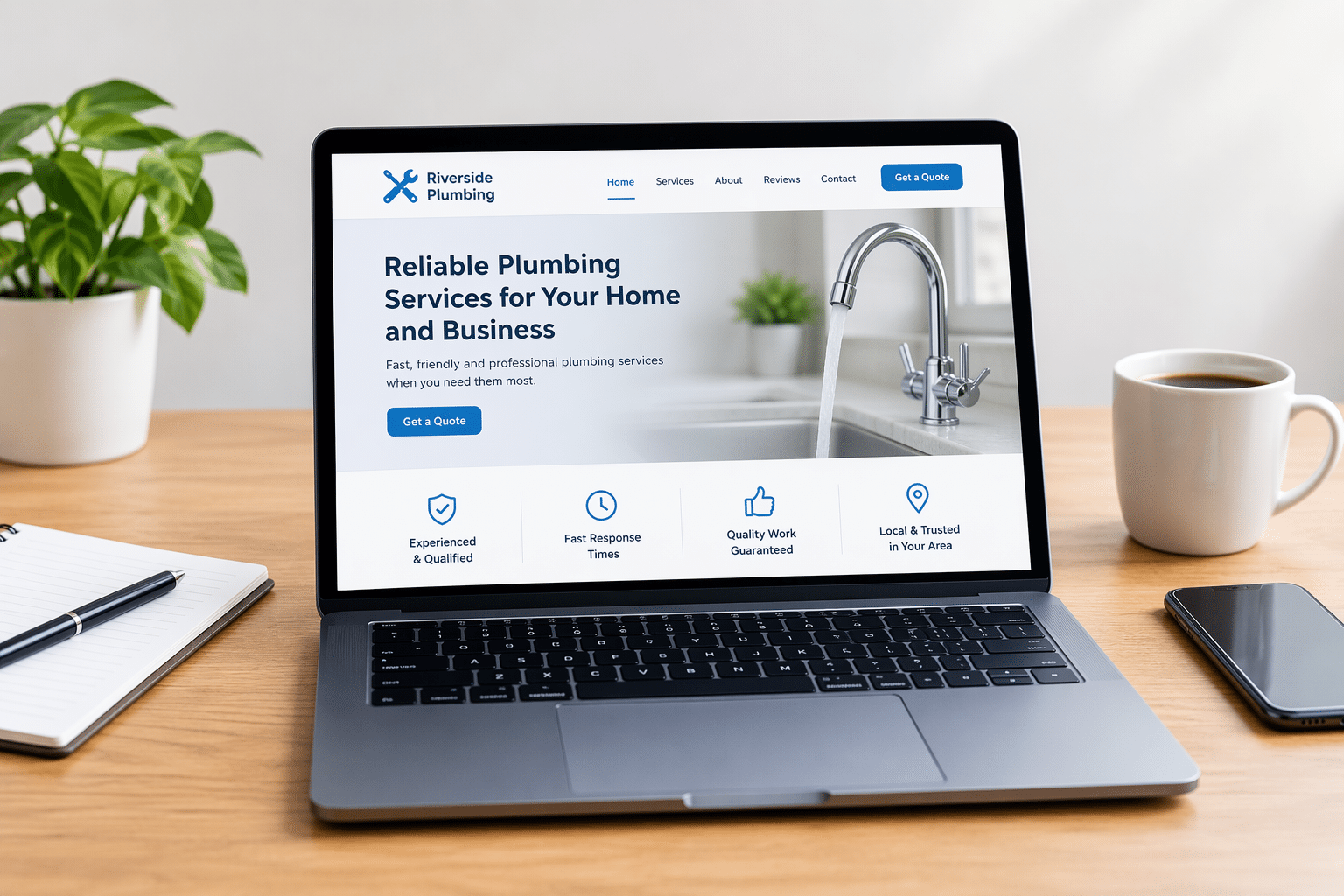
Your homepage should explain what your business does within a few seconds. Visitors shouldn’t have to read several paragraphs or search through your menu to understand what you’re offering.
A useful homepage tells people what you do, who you help, where you work and what they should do next. It should also give visitors a simple route to learn more about your services.
What should appear near the top?
- A clear headline describing your main service or product.
- A short explanation of how you help customers.
- Your main service area, where relevant.
- An obvious button to call, book or request a quote.
- A suitable image that supports what your business offers.
For example, a cleaning company could use the headline “Reliable Home and Office Cleaning in Dartford” followed by a short explanation and a “Request a Free Quote” button.
That’s far more useful to a potential customer than a vague headline such as “Welcome to Our Website” or “Your Partner for Excellence”.
2. Proper Service or Product Information
Customers want to know exactly what they’re paying for. Your website should explain your services or products clearly enough for visitors to decide whether they’re suitable.
A plumber, for example, might offer emergency repairs, boiler servicing and bathroom installations. Putting everything under a single heading called “Plumbing Services” could leave customers unsure about what is actually available.
Separate service pages can be helpful when services have different customers, prices or questions. Each page can explain what’s included, who the service suits, which areas are covered and how to enquire.
Should you show your prices?
Where prices are fixed, showing them can save time and help customers make decisions. If your work requires a personal quote, explain what affects the price and how customers can request an estimate.
You don’t necessarily need to publish a price for every job. But avoiding all discussion of costs can leave customers uncertain, particularly when competitors provide clearer information.
3. An About Us Page That Builds Trust
People often want to know who they’re dealing with, especially when they’re inviting someone into their home, booking an expensive service or trusting a business with an important job.
A good About Us page introduces the people behind the business. It explains how the business started, what it believes in and what customers can expect.
Include genuine details such as your business background, relevant experience, professional qualifications where applicable and photographs of your actual team if you’re comfortable sharing them.
A family-run garage, for example, could explain its history in the local area and introduce the mechanics who carry out the work. This gives visitors a clearer picture of the business than a generic statement about being passionate and professional.
Keep the page genuine. Customers don’t need a dramatic company story. They need reasons to feel comfortable choosing you.
4. Easy-to-Find Contact Details
One of the simplest ways to lose a potential enquiry is to make contacting your business difficult. If someone is ready to ask a question or book your service, don’t make them hunt for your telephone number.
Most small businesses should have a dedicated Contact page, with important contact options also visible elsewhere on the website.
- A working telephone number, where telephone enquiries are accepted.
- A professional email address or contact form.
- Opening hours or expected response times.
- Your business address, if customers can visit.
- The areas you serve, particularly for mobile and local services.
- Directions or a map, where useful.
If you operate from home and visit customers at their properties, you may not want to publish your home address. Explain your service area instead and provide another suitable contact method.
Test your contact form regularly. A beautiful website won’t help much if enquiries disappear because the form has stopped working.
5. Reviews and Evidence of Your Work
Customers may be cautious about choosing a business they haven’t used before. Genuine reviews, examples of completed work and clear business information can help them judge whether you’re a good fit.
For a builder, photographs of completed projects can show the type of work they carry out. For a hairdresser, a gallery can help customers understand the styles available. For an accountant, clear qualifications and an explanation of the types of clients served may be more relevant.
Useful trust signals include:
- Genuine customer reviews and testimonials.
- Photographs of real work, with permission where needed.
- Relevant qualifications, memberships or accreditations.
- Clear business contact information.
- Realistic explanations of your experience and processes.
Only use genuine testimonials and claims you can support. Don’t invent reviews, exaggerate results or display professional badges you aren’t entitled to use.
Trust is usually built through several small details working together, not one impressive-looking badge.
6. Simple Website Navigation
Visitors should be able to move around your website without having to work out where everything is. A confusing menu can make even a useful website frustrating.
For a typical small business, a straightforward menu might include Home, About, Services, Reviews and Contact. Additional pages should be added when they help customers, not simply to make the website appear larger.
Use familiar names for menu items. “Our Services” is clearer than a creative label that customers may not understand. Keep important information within easy reach and make sure navigation works on mobile phones.
It also helps to link related pages together. If someone is reading about boiler repairs, a link to your boiler servicing page may answer their next question without forcing them back to the menu.
7. A Mobile-Friendly Design
Your website should work properly on smartphones, tablets and desktop computers. A mobile-friendly website adjusts its layout to fit smaller screens without making visitors struggle to read or use it.
Think about someone standing outside a locked house searching for an emergency locksmith. They need to see the telephone number, understand the service and make contact quickly. Tiny text and difficult menus will only add frustration.
Check these mobile basics
- Text is readable without zooming.
- Buttons are large enough to tap comfortably.
- Menus open and close correctly.
- Images fit the screen without covering content.
- Contact forms are easy to complete.
- Pages don’t require sideways scrolling.
Don’t assume a website works well on mobile just because it looks good on your computer. Open it on an actual phone and try completing the same tasks a customer would.
8. Clear Calls to Action
A call to action is a simple instruction that helps visitors take the next step. It might be a button saying “Request a Quote”, “Book an Appointment”, “Call Us” or “Shop Now”.
Every important page should make the next step obvious. A service page might encourage customers to request a quote, while a product page might offer an Add to Basket button.
Choose actions that match what customers are ready to do. Someone reading about a costly home improvement may want an estimate rather than an immediate purchase.
Avoid filling every section with competing buttons. One clear primary action, supported by another option where useful, is often easier for visitors to understand.
9. Basic SEO and Local Information
Search engine optimisation, usually called SEO, helps search engines understand your website and its content. It doesn’t guarantee a top position in Google, but it provides a sensible foundation for people discovering your business.
Each important page should have a descriptive title, a clear main heading and useful content that matches what customers are looking for. Your business name, services and relevant locations should be explained naturally.
For example, an electrician serving Dartford and Gravesend should make those service areas clear, rather than relying on a generic page that simply says “Professional Electrical Services”.
What about AI search?
People may also use AI assistants to research services or compare businesses. Clear, accurate information about what your company offers, where it works and how it can be contacted makes your business easier to understand.
However, no particular website feature can guarantee that an AI assistant will recommend your company. Search visibility also depends on factors outside the wording of an individual page.
If you want to explore the wider subject, our SEO and AI Visibility service explains the type of support available.
10. Security and Reliable Performance
Customers expect your website to load properly and handle their information responsibly. A slow, broken or insecure website can interrupt enquiries and create avoidable problems.
Your website should use HTTPS, which encrypts information exchanged between the visitor’s browser and the website. You can usually recognise it by the padlock or site controls shown in the browser, although HTTPS alone doesn’t prove a website is trustworthy.
Keep your website software updated, use strong passwords, control who has access and maintain suitable backups. If your website accepts payments, use a reputable payment system and appropriate safeguards.
How fast should your website be?
Pages should load quickly enough that visitors can use them without frustrating delays. Large images, unnecessary features and poor hosting can all contribute to slow performance.
You don’t need to understand every technical measurement. Start by opening your website on a phone and checking how long it takes to display the information customers need.
11. Appropriate Legal and Privacy Information
UK business websites may need particular legal information depending on the business, the data collected and the way the website operates.
A privacy notice is generally needed when you collect personal information, such as names, email addresses or contact form enquiries. If your website uses non-essential cookies or similar tracking technologies, consent requirements may apply.
Businesses selling online may also need clear information about prices, delivery, cancellation rights, returns and their legal business identity.
Important: Don’t Copy Legal Pages Blindly
Privacy notices, cookie information and terms should reflect what your own business actually does. Copying another company’s legal pages may leave important gaps or include statements that aren’t true for your website.
Review the relevant guidance from the Information Commissioner’s Office and GOV.UK’s online selling guidance. Seek qualified advice if you’re unsure about your obligations.
Accessibility also deserves attention. Make your website usable for people with different needs by using readable text, meaningful image descriptions, sensible contrast and forms that can be used with a keyboard. Legal duties vary by business and service, but accessibility is a sensible design priority for everyone.
12. Useful, Accurate and Updated Content
A website isn’t finished forever on the day it goes live. Your services, prices, opening hours and contact information may change. Customers need information they can rely on.
Review your main pages regularly. Remove discontinued services, correct outdated prices and replace information that no longer reflects how your business operates.
A blog or advice section can be helpful when you have useful questions to answer. A gardening company, for example, might explain when customers should book seasonal maintenance. An accountant might publish general guidance about common business record-keeping questions.
But a blog isn’t compulsory for every small business. A smaller website with accurate, helpful pages is preferable to one with dozens of abandoned posts.
Which Website Pages Does a Small Business Really Need?
There isn’t one fixed number of pages that every business must have. A sole trader offering one straightforward service may need fewer pages than a company selling hundreds of products.
Start with the information your customers actually need, then add pages when there is a good reason.
| Page | What it should help customers do |
|---|---|
| Home | Understand your business and find the next step. |
| Services or Products | See what you offer and whether it’s suitable. |
| About Us | Learn who is behind the business. |
| Contact | Get in touch without difficulty. |
| Reviews or Portfolio | See genuine evidence of your work. |
| Privacy and other legal pages | Understand relevant policies, rights and business information. |
| FAQs or Advice | Find answers to common questions, where useful. |
Some of these can be combined. A small business doesn’t always need a separate page for every subject, provided the information remains easy to find.
An online shop, however, will usually need additional shopping, payment and order-related pages. A business taking appointments may benefit from a booking system.
Choose the structure that fits your customers, rather than copying the website of a much larger company.
Common Small Business Website Mistakes to Avoid
Even when the main pages are present, small details can make a website less helpful than it should be.
One common mistake is concentrating on how attractive the website looks while forgetting what visitors need to know. Attractive photographs and animations have their place, but they shouldn’t hide the services, contact information or next steps.
Another is trying to appeal to everybody. A local beauty salon, for example, will usually benefit more from explaining its treatments, prices, location and booking process than from broad claims about serving every possible customer.
Other problems include broken links, forms that don’t work, outdated information, vague headings and long pages with no clear route to contact the business.
Before adding another feature, ask whether it solves a real customer problem. If it doesn’t, it may not deserve space on your website.
Expert Insight From Daren Ward

Having worked in website design and online marketing since 2004, my advice is to judge your website by how easily a customer can use it, not simply by how impressive it looks.
One practical test I recommend is to imagine three visitors arriving with different questions. The first wants to know whether you offer the service they need. The second wants reassurance that your business is reliable. The third is ready to contact you.
Can all three find what they’re looking for without searching around?
If not, I’d look at the wording, page structure and contact options before investing in extra features. Often, making the existing information clearer is a more sensible starting point than adding something new.
Small Business Website Action Checklist
You can carry out this basic review yourself. Open your website as though you’re visiting it for the first time, preferably on both a computer and a mobile phone.
- ☐ Check that your homepage explains what you do and who you help.
- ☐ Make sure your services or products are described clearly.
- ☐ Confirm your service area and opening hours are correct.
- ☐ Check that visitors can find your contact details quickly.
- ☐ Submit a test enquiry through your contact form.
- ☐ Review your About page for genuine, useful business information.
- ☐ Check that testimonials and photographs are accurate and authorised.
- ☐ Test your navigation, buttons and links on a mobile phone.
- ☐ Look for slow pages, broken images and difficult-to-read text.
- ☐ Review privacy, cookie and other legal information relevant to your business.
- ☐ Check your main page titles and service descriptions.
- ☐ Remove outdated offers, prices and discontinued services.
If several items need attention, prioritise anything preventing customers from understanding your services or contacting you. Those problems are usually more urgent than cosmetic changes.
Frequently Asked Questions
1. Can a small business website have just one page?
Yes. A one-page website can work for a business with a simple offer and limited information to explain. It should still include clear service details, contact options and any required legal information. Separate pages become more useful when you offer several distinct services or need to answer different customer questions in detail.
2. Does every small business need an online booking system?
No. Online booking is useful when customers regularly schedule appointments, but it isn’t necessary for every business. A builder providing individually priced projects may be better served by a detailed enquiry form. Choose the method that suits how customers normally arrange your services.
3. Should I put my mobile number on my business website?
You can, provided you’re comfortable receiving business calls on that number. If you prefer to keep personal and business calls separate, use a dedicated business number or another reliable contact method. Make sure the contact details you publish are monitored regularly.
4. Is a contact form better than an email address?
Neither is automatically better. A form can guide customers to provide useful details, while an email address gives them more freedom to write directly. Some businesses offer both. Whatever you choose, make sure enquiries arrive reliably and are handled within a reasonable time.
5. Do I need a blog on my small business website?
No. A blog can help answer customer questions and provide useful information, but it isn’t a compulsory website feature. If you don’t have time to maintain one, focus first on keeping your main service pages accurate, helpful and up to date.
6. Should my website include customer testimonials?
Genuine testimonials can help potential customers understand other people’s experiences with your business. Use them accurately, obtain appropriate permission and avoid misleading edits. If you haven’t collected reviews yet, you can still build trust through clear business information and real examples of your work.
7. Do I need to display my business address?
It depends on your business and its legal obligations. A shop or café should normally make its visiting address easy to find. A mobile service business may prefer to show its service area. Some businesses must also disclose particular legal identity and address details, so check the rules that apply to your business structure and selling activities.
8. How often should I update my website?
Update important information whenever it changes. It’s also sensible to review your website regularly for broken links, outdated content, software updates and contact form problems. The right schedule depends on how frequently your business information changes and how the website is managed.
9. Does every business website need to appear on Google?
Most businesses benefit from being discoverable through search, although a website can also support customers arriving through referrals, social media or advertising. Basic SEO, clear content and a technically accessible website provide useful foundations, but appearing prominently in search results isn’t guaranteed.
10. Should I build my own website or hire a professional?
Both can be sensible options. A simple website builder may suit a business with a limited budget and straightforward needs. Professional help can be useful when you need custom functions, stronger design, better organisation or assistance with technical issues. Compare the total costs, time required and level of support before deciding.
Summary: Focus on What Your Customers Need
A useful small business website doesn’t have to be complicated. It should make your business easy to understand, help customers feel confident and provide a clear way to take action.
Start with your homepage, service information, About page and contact options. Then check the details that support the whole experience, including mobile usability, security, trust, search visibility and accurate content.
When deciding what to improve, put yourself in your customer’s position. If they can quickly understand what you offer, see why your business might suit them and contact you without difficulty, you’ve already covered much of what matters.
Your Next Step
If you’re planning a new website or feel your current one isn’t giving customers the information they need, take a look at our Business Website Design service. It explains how we can help you create a clear, practical website built around your business and its customers.
Key Takeaways
- Your homepage should explain what your business offers straight away.
- Clear service information helps customers decide whether you’re suitable.
- Genuine reviews, business details and examples of work help build trust.
- Contact options and calls to action should be easy to find.
- Your website must be comfortable to use on mobile devices.
- Security, accessibility and relevant legal information deserve attention.
- Basic SEO and accurate content support online discovery.
- A smaller, helpful website can be better than a large, confusing one.
Found This Helpful? Share It
If you found this article useful, please share it with other business owners who might find it helpful too.
A quick share on LinkedIn, Facebook or your favourite social platform could help someone else find the advice they need.