How Many Pages Should My Business Website Have?
When you’re planning a new business website, one of the first questions you’ll probably ask is how many pages you actually need. Is five enough? Should you have ten or twenty? And will having more pages help your business appear higher in Google?
It’s easy to assume that a bigger website must be better. But a local electrician doesn’t necessarily need the same number of pages as an accountancy firm offering several specialist services. What matters is whether your website gives potential customers the information they need to choose your business.
Let’s look at how to decide on the right number of pages without wasting money on pages that serve no useful purpose.
Quick Answer
For many small businesses, five to ten well-planned pages can be a sensible starting point. A very simple business may only need three to five pages, while a company offering several services or operating across different areas may benefit from ten, twenty or more.
There is no fixed number of pages that every business website must have. The right number depends on what you sell, how customers search for your services and what information they need before contacting you. A useful page should answer a real customer question, explain a service, build trust or help someone take action. Adding pages simply to make your website bigger is unlikely to help.
How Many Pages Should My Business Website Have?
The best starting point is to think about what your customers need to know, rather than choosing a number first. A website with six useful pages can do a better job of explaining your business than a website with thirty thin, repetitive pages.
For example, a self-employed window cleaner might need a homepage, services page, about page, reviews page and contact page. An accountancy practice offering bookkeeping, payroll, VAT returns, tax planning and business advice might benefit from separate pages explaining each service.
Here is a practical guide to help you start planning.
| Website Size | Typical Use | What to Consider |
|---|---|---|
| 1 page | Very simple businesses, temporary websites or single-offer campaigns | Can explain the basics but offers limited room for detailed information. |
| 3 to 5 pages | Sole traders and businesses with straightforward services | Enough to separate the main information without creating unnecessary pages. |
| 5 to 10 pages | Many local small businesses | A practical starting point for core information, individual services and trust-building content. |
| 10 to 20 pages | Businesses with several services or more detailed customer needs | Allows more specific explanations and clearer customer journeys. |
| 20+ pages | Businesses with extensive services, product ranges, resources or genuine location needs | Needs a clear structure and ongoing content maintenance. |
These are planning examples, not official rules or guaranteed SEO recommendations. Some businesses will need fewer pages and others considerably more. Online shops and membership websites can also have many product or account pages that don’t fit neatly into these ranges.
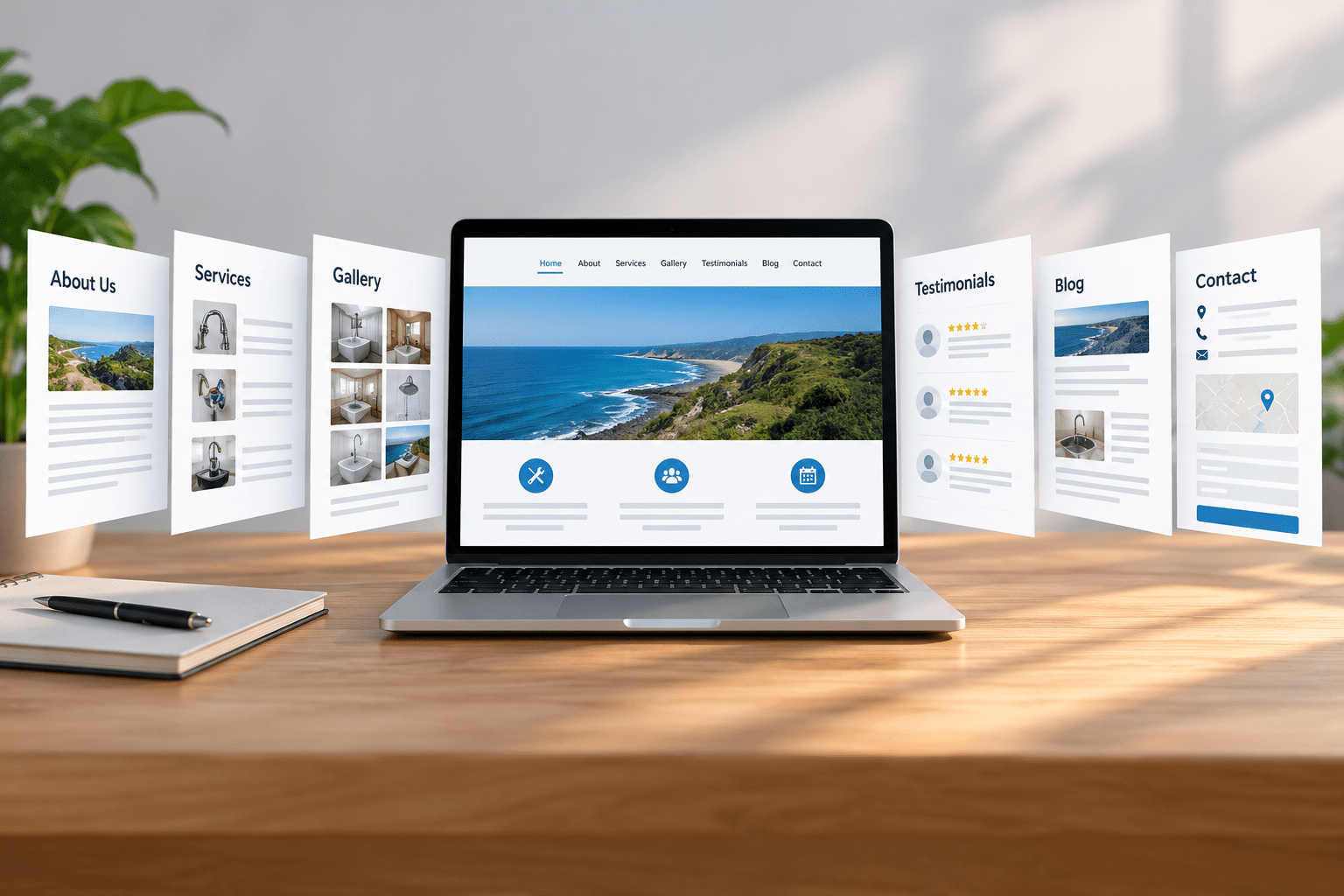
The Pages Most Small Business Websites Need
Before adding specialist pages, make sure your website covers the basics. Customers usually want to understand what you offer, whether they can trust you and how to get in touch.
1. Homepage
Your homepage should quickly explain what your business does, who you help and why someone might choose you. It should also provide a clear route to your services and an obvious way to contact you.
A visitor shouldn’t have to scroll through several screens before discovering whether you provide the service they’re looking for.
2. About Us Page
Your About page gives customers a better understanding of the people and business behind the website. Explain your background, experience, approach and what makes your business different.
For a local tradesperson, a friendly introduction and genuine information about experience can be more reassuring than a page full of impressive-sounding claims.
3. Services or Products Page
Customers need a clear explanation of what they can buy or book. Describe your main services in everyday language, including who they’re suitable for and what customers can expect.
If you offer several different services, this page can introduce them and link to individual pages containing more detail.
4. Contact Page
Make it easy for customers to reach you. Include appropriate contact details, a simple enquiry form and relevant business hours. If you serve a particular area, explain where you work.
Don’t make people hunt around for a telephone number or wonder whether you cover their location.
5. Reviews, Testimonials or Portfolio Page
Real customer feedback and examples of completed work can help visitors judge whether your business is right for them. A builder might show genuine project photographs, while a cleaning company might display verified customer reviews.
This information can also appear on your homepage or service pages. A separate page is useful when you have enough genuine material to justify it.
6. Privacy and Other Relevant Legal Pages
Some website pages are needed because of how your business operates or collects information, rather than for marketing. For example, a privacy notice will generally be needed when you process personal information through an enquiry form.
Depending on your website, you may also need cookie information, terms and conditions, delivery information, returns information or other legally required details. These should be planned separately from your main marketing pages.
Suggested Page Counts for Different Businesses
Different businesses need different amounts of information. The examples below show how a sensible website structure might look in practice.
Example: A Local Plumbing Business
A plumber who offers general plumbing, boiler servicing and emergency call-outs might start with seven pages: Home, About, Plumbing Services, Boiler Servicing, Emergency Plumbing, Reviews and Contact.
Separate service pages allow customers to go directly to the information they need. Someone dealing with a burst pipe is unlikely to want to read through a long general services page.
Example: A Hair and Beauty Salon
A salon might use eight pages: Home, About, Hair Services, Beauty Treatments, Prices, Gallery, Booking and Contact. A separate booking page can be useful if customers need information before making an appointment.
If the salon offers only a small number of treatments, some of these pages could be combined. The aim is to make prices, services and booking straightforward.
Example: A Small Accountancy Firm
An accountancy firm might benefit from twelve or more pages because its services can be quite different. Bookkeeping, payroll, VAT, self-assessment tax returns and company accounts may each deserve their own explanation.
Visitors looking for payroll support have different questions from someone who needs help with a tax return. Separate pages can make those answers easier to find.
Example: A Small Online Shop
An ecommerce website may contain dozens or hundreds of product pages, along with category pages, delivery information, returns information, checkout and customer support pages.
For online shops, counting pages is less useful than checking whether customers can find products, understand what they’re buying and complete purchases without confusion.
Should Every Service Have Its Own Page?
Not every service needs a separate page. Create one when the service has enough distinct information, customer questions or buying considerations to justify it.
For example, a cleaning company might offer regular domestic cleaning, end-of-tenancy cleaning and commercial office cleaning. These services attract customers with different needs. Individual pages could explain what’s included, who the service suits and how to request a quote.
On the other hand, creating separate pages for every tiny variation of the same service can make your website harder to manage. A cleaner probably doesn’t need one page for cleaning a small kitchen and another for cleaning a large kitchen if the customer information is essentially the same.
Ask yourself whether someone searching for that service would benefit from a dedicated explanation. If the answer is yes, and you can provide genuinely helpful content, a separate page may be worthwhile.
Do You Need Separate Pages for Different Locations?
Location pages can be useful when your business serves several areas and customers need information specific to those places. However, simply copying the same page and changing the town name is not a sound approach.
Imagine an electrician working in Dartford, Gravesend and Bexleyheath. A single service-area page might be enough if the service, contact details and customer experience are the same everywhere.
Separate location pages could make sense where you have useful local information, genuine work examples, different service arrangements or specific questions from customers in each area.
Google advises against doorway pages, which are pages created mainly to rank for similar searches and funnel visitors to the same destination. You can read more in Google’s official spam policies.
The safest approach is to create location pages for customers, not just to collect town-name searches.
Does Having More Website Pages Improve SEO?
Having more pages does not automatically improve your Google rankings. Additional pages can give your website opportunities to answer different searches, but only when they provide useful, relevant information.
Google’s people-first content guidance encourages website owners to focus on helpful content rather than producing material primarily to attract search traffic.
For a local garage, a detailed page explaining MOT testing might be useful. Another page explaining vehicle servicing could answer a different set of questions. Both pages serve a clear purpose.
But publishing twenty nearly identical MOT pages with only minor wording changes doesn’t give customers much extra value. It may also make your website confusing and create more work keeping everything accurate.
More Pages Can Create More Work
Every page needs attention over time. Prices may change, services may be discontinued, staff information may become outdated and internal links may need updating.
Before adding ten new pages, consider whether you can keep them useful and accurate. A smaller website that you maintain properly may be a better business investment than a large website that quickly becomes neglected.
If your website already has useful content but customers struggle to find it, reviewing its structure and SEO and AI visibility may be more useful than simply increasing the page count.
Can a One-Page Website Be Enough?
Yes, a one-page website can work for a very simple business, particularly when it has one main service and customers need only basic information before getting in touch.
For example, a self-employed gardener offering straightforward garden maintenance might use a single page containing an introduction, services, photographs, customer feedback and contact details.
However, one-page websites have limitations. As your services expand, visitors may need more detailed information. A long single page can become difficult to navigate, and it may be less suitable when you want distinct pages for different customer needs.
If you’re starting with one page, plan the sections carefully and make contacting you easy. You can expand later when there’s a clear reason to do so.
When Should You Add More Pages?
Add pages when your business has something useful and distinct to explain. Growth alone doesn’t mean you must increase your page count, but changes in your services or customer needs often create good reasons to expand.
You’ve Introduced a New Service
If your landscaping business starts offering garden design alongside regular maintenance, a dedicated garden design page may help customers understand the new service and request the right type of quote.
Customers Keep Asking the Same Questions
Repeated questions can reveal missing information. If customers regularly ask how your booking process works, a clear booking information page could save time for both you and your customers.
You’re Targeting a Different Type of Customer
A cleaning company serving both households and commercial offices may need separate pages because the services, expectations and enquiry processes differ.
Your Existing Pages Have Become Too Crowded
Sometimes a page tries to explain too many unrelated things. Splitting it into two focused pages can make navigation clearer, provided each new page has enough substance.
You Have Useful Resources to Share
Guides, advice articles and FAQs can help customers make informed decisions. A garage might publish a helpful guide about recognising common warning signs before booking a vehicle inspection.
These resources should solve real problems rather than exist solely to increase the number of pages on the website.
Common Website Page Planning Mistakes
Choosing a Page Count Before Planning the Content
Buying a ten-page website package doesn’t mean you must fill ten pages with weak material. Plan what customers need first, then decide how many pages are justified.
Putting Every Service on One Crowded Page
Combining several different services into a single page can leave customers struggling to find the right information. When services have different benefits, prices or customer questions, consider giving them their own pages.
Creating Pages That Say Almost the Same Thing
Repetitive pages can frustrate visitors and increase maintenance work. Before creating another page, check whether it offers a genuinely different answer or could be improved by adding information to an existing page.
Forgetting Mobile Visitors
A website can have the perfect number of pages and still be frustrating to use on a phone. Keep navigation clear, use readable text and make important contact options easy to reach.
Ignoring Existing Pages
Some business owners concentrate on adding pages while older ones contain outdated information. Reviewing what you already have is often the better starting point.
Expert Insight From Daren Ward

Having worked in website design since 2004, my advice is to stop thinking about website size as a target. Think instead about the decisions your customers need to make.
One useful exercise is to write down the five most common reasons someone contacts your business. Then look at your website and ask whether each of those needs is easy to find and understand.
For example, if you run a building company, someone wanting a kitchen extension may have very different questions from someone needing a small repair. Those customers might benefit from separate pages, even though both services come from the same business.
I would also recommend planning for growth without paying for unnecessary pages at the beginning. A well-organised five-page website can be expanded as your business develops. It’s usually better to build around real customer needs than to create twenty pages just because twenty sounds more impressive.
Your Website Page Planning Checklist
Use this checklist before commissioning a new website or adding pages to an existing one.
- Write down every main service or product category your business offers.
- List the questions customers usually ask before buying or booking.
- Check that your homepage clearly explains what you do and who you help.
- Decide which services genuinely need separate explanations.
- Make sure your About and Contact information is easy to find.
- Review whether your website needs privacy, cookie, trading or other legal information.
- Look for existing pages that repeat each other or contain outdated details.
- Check your navigation on a mobile phone.
- Give every proposed new page a clear purpose before paying to create it.
- Plan how you’ll keep your pages accurate after publication.
Frequently Asked Questions
1. Is a five-page website enough for a small business?
Yes, five pages can be enough for a business with straightforward services. A homepage, About page, Services page, Reviews or Portfolio page and Contact page may cover the main customer needs. You should also include any required legal information, even if that increases the total page count.
2. Is a ten-page website better than a five-page website?
Not necessarily. A ten-page website is only better if the additional pages provide useful information or make it easier for customers to find what they need. Five strong pages can be more helpful than ten pages containing repeated or incomplete information.
3. How many pages should a new business website start with?
Many new small businesses can begin with three to seven main pages, depending on their services. Start with the information customers need to understand your offer and contact you. You can add pages as your services, experience and available content grow.
4. Does every website page need to appear in the main menu?
No. Your main menu should help visitors reach important sections without becoming overcrowded. Detailed pages can be linked from relevant service pages, while legal information often fits better in the footer. Every useful page should still have a sensible route for visitors to reach it.
5. Should I count blog posts as website pages?
Blog posts are individual webpages, but they’re usually planned separately from your main business pages. A website with eight main pages and twenty blog posts contains more than eight accessible webpages. When discussing website packages, check exactly what the page count includes.
6. Do privacy policy and terms pages count towards my website total?
That depends on how your website project or package is defined. Some providers count legal pages within the agreed page allowance, while others treat them separately. Ask for a clear list of included pages before agreeing to the work.
7. Can I add more pages to my website later?
Yes. Most modern business websites can be expanded after launch, although the cost and ease of doing so depend on the system and how the site was built. Planning clear navigation from the beginning makes future expansion easier.
8. Should I delete website pages that get no visitors?
Not automatically. A page might receive little search traffic but still help customers who arrive through your homepage or a direct link. Check whether the information is useful, accurate and relevant before deciding to improve, combine, redirect or remove it.
9. How many location pages should a local business have?
Only create location pages where they provide genuine value. You don’t need a separate page for every town you serve. One clear service-area page may be enough, particularly when your services are identical across nearby locations.
10. Do online shops need a different number of pages?
Yes. An online shop often needs individual product pages, category pages, checkout information and customer service policies. Its total page count depends largely on the number of products and how they’re organised, rather than the usual five-to-ten-page starting point for a service business.
Summary
There is no magic number of pages that guarantees a successful business website. For many small businesses, five to ten carefully planned pages provide a sensible starting point. Others can work well with fewer, while businesses with several distinct services may need considerably more.
The best way to decide is to look at your customers’ questions, the services you offer and the actions you want visitors to take. Give each page a clear job, keep the information accurate and make the website easy to navigate.
Rather than asking how big your website should be, ask whether it gives customers everything they need to make a confident decision.
Need Help Planning Your Website?
If you’re planning a new website and aren’t sure how to organise your pages, you can explore our business website design service for help with creating a clear, practical website structure around your business and customers.
Key Takeaways
- Five to ten pages can be a sensible starting point for many small businesses, but there is no fixed rule.
- Plan your pages around customer needs rather than an arbitrary target.
- Separate service pages are useful when customers need different information.
- More pages do not automatically mean better Google rankings.
- Location pages should contain genuine local value, not copied wording.
- Include relevant legal pages and make contact details easy to find.
- Review and improve existing pages before adding unnecessary new ones.
- Start with what your business needs now and expand when there’s a clear reason.
Found This Helpful? Share It
If you found this article useful, please share it with other business owners who might find it helpful too.
A quick share on LinkedIn, Facebook or your favourite social platform could help someone else find the advice they need.