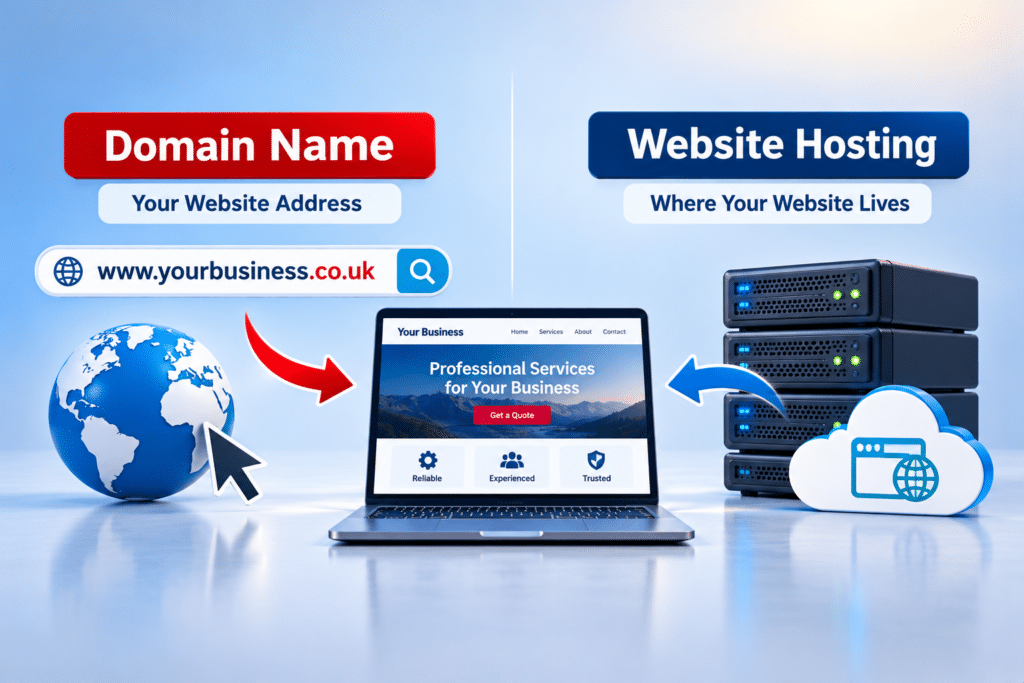
Can I Have a Professional Website Without Spending Thousands?
If you run a small business, you probably know how important it is to have a website that makes a good first impression. But when you start looking at website design prices, it’s easy to wonder whether getting something professional means spending several thousand pounds.
Perhaps you’ve been quoted £3,000 or £5,000 for a relatively straightforward website. Or maybe you’ve seen offers for websites costing just a few hundred pounds and wondered whether they’re any good. The difference can be confusing, especially when every provider seems to promise a professional result.
The encouraging news is that a good business website doesn’t automatically need a huge budget. What matters is understanding what you’re paying for, what your business actually needs and where spending less makes sense.
Quick Answer
Yes, you can have a professional website without spending thousands of pounds. Many small businesses can start with a well-designed website that explains their services, builds trust and makes it easy for customers to get in touch. You don’t necessarily need expensive custom features, dozens of pages or a large agency to achieve that.
The important thing is to spend your budget on the parts customers actually use: clear information, mobile-friendly design, good navigation, fast loading and easy contact options. A modest website that does these things properly can be a better investment than a costly website filled with features your customers don’t need. Just remember to check ongoing costs, ownership and what’s included before making a decision.
What Actually Makes a Website Look Professional?
A professional website isn’t defined by how much money was spent creating it. It’s defined by how well it represents your business and helps people find what they need.
Imagine someone needs a local electrician. They visit two websites. The first has impressive animations, complicated menus and lots of attractive effects, but finding a phone number is difficult. The second has a clean design, clearly explains the services, shows the areas covered and makes requesting a quote straightforward.
Which website would be more useful to that customer? In many cases, the simpler one.
Seven features that matter most
- A clean design: A consistent layout, readable text and suitable images that reflect your business.
- Mobile-friendly pages: Customers should be able to browse, read and contact you comfortably from a phone.
- Clear service information: Visitors should quickly understand what you offer and who you help.
- Simple navigation: Important information should be easy to find without searching through endless menus.
- Trust signals: Genuine reviews, accurate contact details, business information and relevant examples of your work.
- Good performance: Pages should load promptly and work reliably.
- Easy contact options: Clear phone numbers, contact forms, booking links or quote requests.
These are the foundations of a useful business website. They don’t require every page to have a unique design or every feature to be built from scratch.
How Can You Get a Professional Website Without Spending Thousands?
The most practical approach is to start with what your business needs today, rather than paying immediately for everything you might want in the future.
For example, a local cleaning company may only need a homepage, services page, about page and contact page to start. Add clear service descriptions, the areas covered, genuine customer feedback and a simple quote form, and you’ve already covered many of the things potential customers want to know.
That doesn’t mean every business should have four pages. An accountant offering several specialist services might need more detailed information, while a newly established mobile beauty therapist could start with a smaller website.
Start with the main purpose
Before choosing a design or asking for prices, decide what you want visitors to do. Is your priority to receive telephone enquiries, collect quote requests, take bookings or sell products?
Once you know the answer, you can build the website around that goal. This helps avoid paying for unnecessary features while making the pages more useful to your customers.
Choose a sensible first version
A smaller website doesn’t have to look unfinished. It can be a complete, professional first version with room to grow later. You can add detailed service pages, articles, online booking or other features when there is a genuine business reason.
The key is to make sure your chosen website system can support future changes without requiring you to start again.
What Affects the Price of a Business Website?
Website prices vary because businesses are often comparing very different services. One quote might cover a basic design using information you supply, while another includes research, professional copywriting, custom layouts, integrations and ongoing support.
Understanding these differences makes it easier to compare offers fairly.
| Cost factor | Why it affects the price | How to keep costs sensible |
|---|---|---|
| Number of pages | More pages usually require additional content, design and checking. | Start with the pages customers genuinely need. |
| Design complexity | Custom layouts and unusual features take more time. | Use a proven, well-designed layout where suitable. |
| Website wording | Researching and writing effective content requires work. | Prepare accurate business information in advance. |
| Images and media | Professional photography, illustration and video add costs. | Use good existing business photographs where appropriate. |
| Special features | Booking systems, payments and custom tools need extra setup and testing. | Add features when they solve a real problem. |
| Support and maintenance | Updates, backups, hosting and technical help may be separate services. | Check what’s included and what you’ll pay later. |
A higher quote isn’t automatically unreasonable, and a lower quote isn’t automatically a bargain. The right comparison is what you’ll receive, how well it meets your needs and the total cost of owning and running the website.
Which Website-Building Option Is Right for Your Business?
There are several ways to create a business website without committing to an expensive custom project. Each option involves different costs, responsibilities and levels of flexibility.
1. Build the website yourself
DIY website builders provide ready-made layouts and editing tools. This can be a sensible option if you have a limited budget, straightforward needs and time to learn the system.
However, building the website yourself isn’t completely free in practical terms. You’ll spend time choosing layouts, writing content, checking mobile pages and making sure everything works. Some useful features may also require a paid subscription.
2. Hire an independent website designer
An experienced independent designer may offer a more personal service with lower overheads than a larger agency. This can work well for a small business that wants professional help without paying for a complicated design process.
Ask to see examples of completed websites, confirm what’s included and establish who will handle the work. Don’t assume that every independent designer offers the same level of service or support.
3. Choose a fixed-price website package
A fixed-price package can make budgeting easier because you know the agreed price before work begins. Packages often have limits on page numbers, design changes or included features, so check those details carefully.
A suitable package can offer good value when your needs match what is included. Problems usually arise when the business assumes extra work is included but the provider charges separately.
4. Use WordPress with a professional setup
WordPress is open-source website software that can be used without paying a licence fee for the core software. You’ll still need suitable hosting, a domain name and potentially paid themes, plugins or professional assistance.
For some businesses, a professionally configured WordPress website offers a useful balance between affordability and flexibility. It can also provide room to expand, although someone must take responsibility for maintenance and security.
| Option | Best suited to | Main consideration |
|---|---|---|
| DIY builder | Owners with time and simple requirements | You handle much of the work yourself. |
| Independent designer | Businesses wanting personal professional help | Quality and included services vary. |
| Fixed-price package | Businesses with a defined budget and scope | Check exclusions and extra charges. |
| Professional WordPress setup | Businesses wanting an editable, expandable website | Hosting and maintenance still need managing. |
Where Can You Save Money Without Losing Quality?
Keeping website costs down is often about making better decisions before development begins. You don’t need to remove important features. Instead, concentrate your budget on what makes the biggest difference to customers.
Prepare your business information
Write down your services, opening hours, contact details, service areas and common customer questions. Gather any existing photographs and reviews you have permission to use.
This gives your designer a clearer starting point and may reduce time spent collecting basic information. If professional copywriting is included, your notes can help the writer produce more accurate content.
Avoid unnecessary custom features
Does your small business really need a custom customer dashboard, animated introduction or complicated booking system? Sometimes it does, but often a simple contact form or established booking service will do the job.
Ask what business problem each extra feature solves before agreeing to pay for it.
Use fewer pages intelligently
You don’t need a separate page for every minor variation of a service. Group closely related information where that makes sense, but keep important services clear enough for customers to understand.
A local garage, for example, might start with pages for servicing, repairs and MOT information rather than creating a separate page for every small repair task.
Plan for future growth
Tell your designer which features you might need later. A little planning now may help you avoid paying to rebuild the website when your business grows.
It is often better to choose a flexible system and add useful features gradually than to pay for an oversized website from day one.
Where Should You Avoid Cutting Corners?
There are some areas where choosing the cheapest possible option can create more work and expense later.
Mobile usability
Your website must be comfortable to use on smaller screens. Check that the text is readable, buttons are easy to tap and forms work properly. A design that looks attractive on a large computer monitor isn’t enough.
Clear and accurate content
Customers need to understand your services, prices where relevant, locations and how to contact you. Confusing wording can make an otherwise attractive website less useful.
Security and reliability
Use suitable hosting, HTTPS, secure contact forms and a sensible process for software updates and backups. For WordPress websites, maintenance should be part of your ongoing plan.
Accessibility
Make your website easier for people with different needs to use. This includes readable contrast, clear links, sensible headings and forms that are understandable. UK accessibility obligations depend on the type of organisation and service, so don’t assume every business has exactly the same legal requirements.
Basic search visibility
Your website should clearly identify your business, services and location where relevant. Descriptive page titles, useful headings and helpful content provide a sound starting point for search engines.
These foundations don’t guarantee high Google rankings. However, ignoring them when building a website may mean paying for avoidable improvements later.
How Should You Decide on Your Website Budget?
Instead of beginning with the question, “How cheaply can I get a website?”, start by asking what a successful website would do for your business.
For a self-employed plumber, that might mean receiving a steady flow of relevant quote enquiries. For a beauty salon, it could mean helping customers view treatments and book appointments. For an accountant, the main goal may be building enough trust for someone to arrange an initial conversation.
Once you’ve identified the goal, decide which pages and features are needed to support it. Then request quotes for the same requirements so you’re comparing similar work.
Think about value, not just appearance
A website doesn’t need to produce a particular number of enquiries to be worthwhile. It may save time answering repeated questions, help customers understand your services or provide a professional place to direct people from social media and business listings.
Those benefits matter, even if they’re harder to measure than online sales.
Don’t spend money you can’t comfortably afford
If your business is new and funds are limited, a smaller first website may be the sensible choice. You can improve and expand it as your needs become clearer.
If your business already receives significant online enquiries, investing more in content, design or specific functionality may be justified. The right budget depends on your business, not what another company happens to spend.
Expert Insight From Daren Ward

Having worked in website design and online marketing since 2004, my advice to small business owners is to avoid confusing the size of a website with its quality.
In my experience, one of the most useful things you can do before spending money is to write down the five questions your customers most often ask before buying from you. Then check whether your proposed website will answer those questions clearly.
If you’re a cleaner, customers might want to know which areas you cover, what types of cleaning you offer, whether you bring equipment, how quotes work and how quickly they can book.
A website that answers those questions properly is doing a valuable job, even if it only has a handful of pages.
I would rather see a small business invest in clear wording, sensible page structure and an easy way to enquire than spend its entire budget on visual effects that don’t help customers make a decision.
Action Checklist: Getting a Professional Website on a Budget
- Write down the main result you want from your website, such as enquiries, bookings or sales.
- List the pages needed to explain your business and services properly.
- Collect your logo, business information, suitable photographs and genuine reviews.
- Decide which features are necessary now and which can wait.
- Check at least three example websites created by any provider you’re considering.
- Ask whether the quoted price includes mobile design, forms, basic search setup and testing.
- Request a written breakdown of any ongoing costs and renewal charges.
- Confirm domain ownership, website access and your options for moving providers.
- Check how future updates, backups and technical support will be handled.
- Test the completed website on a real mobile phone before approving it.
Frequently Asked Questions
1. Can a £500 website look professional?
Yes, a £500 website can look professional when its requirements are simple and the work is carried out well. However, what that price includes will vary considerably between providers. Check the number of pages, content responsibilities, mobile design, hosting and support rather than judging the offer by price alone.
2. Do I need a website costing £3,000 or more?
Not necessarily. A straightforward local business website may not need that level of investment. More complex websites involving custom features, large amounts of content or specialist integrations can justify higher costs. The decision should be based on your actual requirements.
3. Is a cheap website bad for my business?
No. A lower-priced website can be a sensible starting point if it works properly, represents your business accurately and helps customers contact you. Problems arise when low prices come with poor quality, missing features, unclear ownership or expensive ongoing commitments.
4. Can I build a professional website myself?
Yes. Website builders and ready-made themes make it possible to create a good-looking website without coding. You’ll still need to spend time planning the pages, writing useful content and checking everything works. If you lack the time or confidence, professional help may be worthwhile.
5. How many pages does a small business website need?
There is no fixed number. Many small businesses can begin with a homepage, services information, an about page and contact details. Businesses with several distinct services may benefit from additional pages. Each page should serve a clear purpose rather than being added simply to make the website bigger.
6. Can I add more pages later?
Usually, yes, provided the website uses a system that supports expansion. Before ordering, ask how much it will cost to add pages, whether you can make changes yourself and whether future features will work with the platform you’ve chosen.
7. Does a more expensive website rank better on Google?
No. Spending more money doesn’t automatically improve search rankings. Google considers many factors, including relevance, usefulness, accessibility and technical issues. A well-planned affordable website can have a sound search foundation, but neither price nor design alone guarantees visibility.
8. Do I need to pay for website maintenance every month?
Not every website requires a separate monthly maintenance contract. Some hosted website builders include technical upkeep within their subscriptions. Self-hosted websites, including WordPress sites, need someone to manage updates, backups and security. Check who is responsible and what is included.
9. Should I choose a website template or a custom design?
A well-chosen template can be a good way to control costs. It should still be adapted to your business, content and customers. A custom design may be more appropriate if you have unusual requirements, but custom work isn’t automatically necessary for a professional result.
10. Can a small website attract customers?
Yes. A small website can help potential customers discover your services, understand what you offer and contact you. Its effectiveness depends on factors such as the quality of the information, local demand, visibility and how easy it is to make an enquiry. Having a website alone doesn’t guarantee customers.
11. What should I ask before hiring a website designer?
Ask exactly what’s included, how many pages you’ll receive, who supplies the content, how revisions work and when the website will be completed. Also ask about ownership, hosting, ongoing fees, support and what happens if you want to change providers later.
12. Is it better to wait until I can afford a bigger website?
Not always. If a modest website can meet your immediate needs, starting smaller may be better than delaying your online presence. However, don’t rush into an unsuitable platform simply because it is inexpensive. Choose something reliable that you can improve as your business develops.
Summary: A Professional Website Doesn’t Need an Enormous Budget
You don’t have to spend thousands of pounds to create a website that presents your business professionally. For many small businesses, the best starting point is a clear, reliable website built around the information customers need and the actions you want them to take.
The biggest savings often come from choosing a sensible number of pages, avoiding unnecessary features, preparing useful business information and comparing quotes properly. At the same time, it’s worth protecting the basics, including mobile usability, clear content, security, ownership and ongoing support.
Judge a website by how well it serves your business, not by its price tag or the number of special effects it contains.
Your Next Step
If you’re considering a new website but don’t want to commit to an unnecessarily large budget, take a look at our business website design service. It explains the options available for creating a professional website around your business needs.
Key Takeaways
- A professional website doesn’t automatically require a budget of several thousand pounds.
- Clear information, mobile usability and easy contact options matter more than expensive effects.
- A smaller website can be a complete, useful starting point with room to grow.
- Compare website quotes by what they include, not simply the headline price.
- Check hosting, maintenance, ownership and renewal costs before committing.
- Spend your budget on the features your customers actually need.
Found This Helpful? Share It
If you found this article useful, please share it with other business owners who might find it helpful too.
A quick share on LinkedIn, Facebook or your favourite social platform could help someone else find the advice they need.