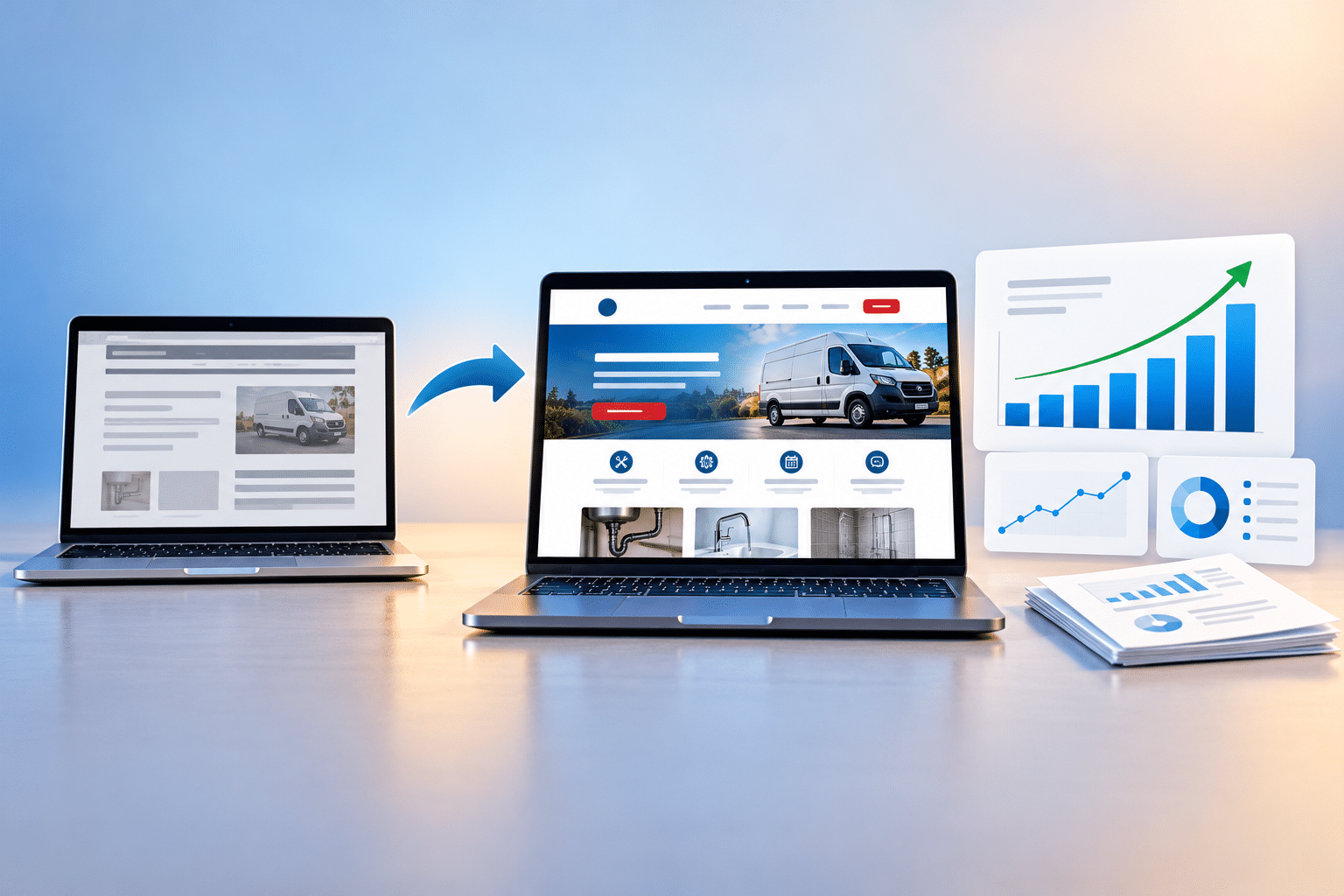
How Can I Tell Whether My Website Redesign Was Successful?
You’ve invested time and money into redesigning your business website. The new design looks smarter, the photographs are better, and everything feels more professional. But now comes an important question: was the redesign actually successful?
It’s easy to judge a website redesign by how much better it looks. Perhaps your old website felt dated, was difficult to use on mobile phones or didn’t reflect the quality of your business. Seeing a fresh design go live can feel like a big achievement.
But a successful redesign should do more than improve appearances. Ideally, it should help customers understand your services, find information more easily and take the actions that matter to your business.
The good news is that you don’t need to be a technical expert to measure whether your redesign has made a difference. With a few practical checks and the right information, you can start building a clearer picture of what’s working.
Quick Answer
You can tell whether your website redesign was successful by comparing how your website performs before and after the changes. Look at customer enquiries, bookings or sales, mobile usability, website speed, search visibility and how easily visitors can complete important tasks.
A successful redesign should achieve the goals you originally set. For example, if you wanted more enquiries, measure qualified enquiries rather than simply counting visitors. If your old website was difficult to use on mobile, test whether the new version makes common tasks easier.
Don’t judge the redesign after just a few days. Compare suitable periods, allow time for reliable data to build up and consider factors such as seasonal demand, advertising and changes in website traffic.
What Does a Successful Website Redesign Actually Mean?
A successful redesign is one that solves the problems you wanted to fix and supports the goals of your business.
That might mean more enquiries, easier navigation, better mobile usability or a more professional appearance. The right measures depend on why you redesigned the website in the first place.
For example, a local electrician might redesign a website because customers struggle to find the telephone number. A beauty salon might want to make appointment booking easier. An accountant may want clearer service pages that encourage consultation requests.
Each business needs to measure something different.
Appearance is only one part of success
There’s nothing wrong with wanting a better-looking website. Your business should be represented professionally.
However, an attractive website can still disappoint if customers can’t find important information, contact forms don’t work or the new design is slower than the old one.
Think of your redesign as a business improvement project rather than simply a visual makeover.
1. Check Whether Your Original Redesign Goals Were Achieved
Before looking at website statistics, think about why you decided to redesign your website.
Was it because the old design looked outdated? Were customers having difficulty using it on their phones? Did you want more enquiries or better search visibility?
Your original reasons should guide how you measure success.
Match each goal to a practical measurement
| Original redesign goal | What to measure |
|---|---|
| Generate more enquiries | Qualified enquiry numbers and conversion rate. |
| Improve mobile usability | Mobile task completion and usability problems. |
| Make the website faster | Core Web Vitals and loading performance. |
| Improve search visibility | Search clicks, impressions and relevant search queries. |
| Make the business look more professional | Customer feedback and consistency of presentation. |
| Increase online bookings | Completed bookings and booking completion rate. |
| Make services easier to understand | Customer feedback and successful information-finding tasks. |
If you didn’t set goals before the redesign, you can still measure the new website. Start by choosing a few important business outcomes and use whatever reliable historical information you have available.
2. Compare Customer Enquiries, Bookings and Conversions
For many small businesses, this is one of the most useful ways to judge a redesign.
If the purpose of your website is to attract customers, you need to understand whether visitors are taking the actions you want them to take.
These actions might include submitting a contact form, calling your business, booking an appointment or making a purchase.
Look beyond the number of visitors
Imagine your old website received 1,000 visits and generated 20 enquiries. Your new website receives the same number of visits but generates 35 enquiries.
That would be an encouraging result, provided the enquiries are genuine and comparable.
However, if your website traffic doubled because of a new advertising campaign, an increase in enquiries wouldn’t necessarily prove the redesign was responsible.
Calculate your website conversion rate
A simple conversion rate can help you compare performance.
Conversion rate = (Conversions ÷ Visits) × 100
For example, if your website receives 1,000 visits and generates 30 enquiries, the enquiry conversion rate is 3%.
Use the same definition of a visit and conversion in both periods. Sessions are commonly used for this type of calculation, although some businesses prefer a user-based measure.
Also consider enquiry quality. Ten genuine enquiries from people who need your services may be more valuable than 30 irrelevant messages.
3. Look at How Visitors Use Your Redesigned Website
A redesign may change how people move through your website, which pages they visit and where they decide to contact you.
Website analytics can help you understand some of these changes.
Useful measurements include:
- Which pages receive the most visits.
- How visitors reach your website.
- Whether people complete important actions.
- Which devices visitors use.
- Whether users engage with important service pages.
- Where visitors leave a booking or enquiry process.
Google Analytics can help measure many of these activities when configured correctly.
However, don’t assume that a lower engagement rate or a shorter visit automatically means the redesign has failed. Someone who finds your telephone number immediately may leave quickly because the website has done exactly what they needed.
Measure completed tasks, not just activity
A useful test is to ask someone unfamiliar with your website to find a particular service and submit a test enquiry.
If they can complete the task comfortably, that’s valuable evidence that the new design is easier to use.
4. Test Whether Your Mobile Website Is Better
One common reason for redesigning a website is that the old version doesn’t work well on smartphones.
Perhaps visitors previously had to zoom in to read text, menus were difficult to use or important buttons disappeared on smaller screens.
Your redesigned website should solve those problems.
Carry out a practical mobile test
- Open your new website on a smartphone.
- Check whether the main message is immediately clear.
- Open the navigation menu.
- Find one of your services.
- Locate the contact information.
- Complete a test enquiry or booking.
Pay attention to anything that feels awkward. Are buttons too small? Does text overlap? Do images take up too much screen space?
If possible, ask someone else to complete the same test without giving them instructions.
When you have suitable analytics data, compare mobile conversion rates before and after the redesign. This can provide useful supporting evidence, although changes in visitor sources and behaviour should also be considered.
5. Check Whether Your Website Speed Has Improved
A new website should ideally be at least as comfortable to use as the old one. Unfortunately, a redesign can sometimes introduce large images, unnecessary animations or scripts that slow pages down.
That’s why website speed should be checked after launch rather than assumed to have improved.
Use Google’s PageSpeed Insights
You can test individual pages using Google PageSpeed Insights.
The tool provides performance information and recommendations for improvement.
Google’s Core Web Vitals include:
- Largest Contentful Paint (LCP): measures loading performance. A good threshold is 2.5 seconds or less.
- Interaction to Next Paint (INP): measures responsiveness. A good threshold is 200 milliseconds or less.
- Cumulative Layout Shift (CLS): measures visual stability. A good threshold is 0.1 or less.
These thresholds are assessed using the appropriate real-user data, normally at the 75th percentile.
Compare equivalent pages and devices where possible. A homepage and a complicated booking page may perform differently.
Don’t focus entirely on getting a perfect score. Concentrate on the problems that affect real visitors.
6. Monitor Whether Your Search Visibility Has Improved
Search visibility is another important area to check after a website redesign, particularly if the project involved changing page addresses, content or navigation.
A redesign can improve the organisation and technical quality of your website, but it can also create search problems if important pages are removed or moved without suitable redirects.
Use Google Search Console
Google Search Console can help you review:
- Clicks from Google Search.
- Search impressions.
- Queries that bring people to your website.
- Pages receiving search traffic.
- Indexing problems reported by Google.
Compare similar periods before and after the redesign, taking account of seasonal demand and any major changes to your marketing.
Check your old page addresses
If your redesign changed URLs, make sure important old addresses redirect to the most relevant new pages.
For example, if an old service page has moved, a permanent redirect can help visitors and search engines reach its replacement.
Don’t assume that all old URLs should redirect to your homepage. Redirects should lead to genuinely relevant destinations.
Search performance may fluctuate after major changes. Monitor the results rather than expecting immediate improvements.
7. Ask Customers Whether the New Website Is Easier to Use
Website statistics are useful, but they don’t always explain what people think or why they behave in a particular way.
Sometimes the simplest approach is to ask.
If customers regularly use your website, ask whether they can find the information they need and whether anything is confusing.
Useful questions include:
- Was it easy to understand our services?
- Could you find the information you needed?
- Was the website easy to use on your phone?
- Did anything make you hesitate before contacting us?
- Was the booking or enquiry process straightforward?
Keep the questions neutral. Asking “Don’t you think our new website looks much better?” is unlikely to produce particularly useful feedback.
Pay attention when several people mention the same problem. Repeated feedback may reveal an issue worth investigating.
8. Make Sure the Redesigned Website Works Properly
A redesign isn’t truly complete simply because the new pages are visible.
Forms, booking systems, menus, payment features and other important functions should all be tested.
Check the following after launch
- Contact forms send messages to the correct email address.
- Telephone links work on mobile phones.
- Booking systems accept appointments correctly.
- Payment and checkout features work, where applicable.
- Navigation menus lead to the correct pages.
- Old important URLs have suitable redirects.
- Images and videos display correctly.
- Website backups and security measures are in place.
- Analytics and conversion tracking are working as intended.
One broken contact form could cost your business opportunities even if the redesigned website looks excellent.
It’s worth repeating these checks after significant software updates or changes to website features.
9. Consider Whether the Redesign Was Worth the Investment
For many business owners, the final question is whether the money spent on the redesign was worthwhile.
This isn’t always easy to calculate, especially if customers discover your business through several channels before making contact.
However, you can make a reasonable assessment by looking at changes in qualified enquiries, sales, bookings and the time your website saves.
A simple example
Imagine your redesigned website generates five additional paying customers each month, compared with a suitable baseline. If each customer contributes an average of £100 in profit after relevant variable costs, that represents an additional £500 in monthly contribution.
Over six months, that would be £3,000 before considering any other costs or changes.
If the redesign cost £1,500, the additional contribution could exceed the original investment during that period.
However, this is only an illustration. You would need to establish whether the additional customers were genuinely connected to the redesign and account for other costs and marketing activity.
Not every benefit is immediately financial
A better website may also reduce repetitive customer questions, make appointment booking easier or help staff manage enquiries more efficiently.
These benefits can matter even when they don’t appear directly in sales reports.
How Long Should You Wait Before Judging Your Website Redesign?
There isn’t one fixed period that works for every business.
Some improvements can be checked immediately. Others need enough visitors, enquiries and time to provide meaningful information.
| Time after launch | What to review |
|---|---|
| First 48 hours | Forms, links, redirects, mobile layout, analytics and serious errors. |
| First 1–2 weeks | Early usability feedback, technical problems and tracking accuracy. |
| First 30 days | Initial traffic, enquiries, engagement and search visibility patterns. |
| After 60–90 days | More developed comparisons of conversions, customer behaviour and search performance. |
| After 3–6 months | Longer-term trends, business outcomes and the value of the redesign. |
These are suggested review points, not guaranteed timescales. A website receiving thousands of relevant visits may produce useful data faster than a small local website receiving relatively few visits.
Always compare appropriate periods and consider whether changes in demand, advertising or services have affected the results.
Website Redesign Success Scorecard
Use this simple checklist to assess your redesigned website. Give yourself one point for each statement you can support with a practical test or reliable evidence.
| Redesign success check | Score |
|---|---|
| The redesign achieved its main original purpose. | 0 or 1 |
| Visitors can understand our services more easily. | 0 or 1 |
| The mobile website is easier to use. | 0 or 1 |
| Important contact and booking features work. | 0 or 1 |
| Website performance is acceptable or improved. | 0 or 1 |
| Important pages remain accessible to search engines. | 0 or 1 |
| We can measure enquiries or other key actions. | 0 or 1 |
| Customers can find relevant trust information. | 0 or 1 |
| The new website accurately reflects our business. | 0 or 1 |
| We have evidence of improvement in at least one important business outcome. | 0 or 1 |
Understanding your score
8–10 points: Encouraging signs that the redesign has delivered several important improvements.
5–7 points: Some objectives may have been achieved, but further checks or improvements are worthwhile.
0–4 points: The redesign needs closer review to identify unresolved problems and missing evidence.
This is an original practical checklist, not a scientifically validated scoring system. One serious issue, such as a broken booking system, can outweigh several positive answers.
Warning Signs Your Website Redesign Needs Attention
Not every redesign produces the results expected. Watch for signs that something important may have been overlooked.
- Enquiries have fallen significantly without an obvious explanation.
- Customers report difficulty finding information.
- The new website is slower or harder to use on mobile.
- Important service pages no longer appear in search results.
- Old links lead to errors.
- Contact forms or booking systems fail.
- Analytics stopped recording important events after launch.
- Visitors struggle to understand the new navigation.
These issues don’t necessarily mean the entire redesign has failed. They may indicate specific problems that can be corrected.
Important: Don’t Confuse Correlation With Proof
If enquiries increase after your redesign, that’s encouraging, but it doesn’t automatically prove the redesign caused the increase.
Advertising, seasonal demand, changes in search rankings, pricing and competitor activity can all influence results. Use consistent measurements, compare suitable periods and consider other possible explanations before drawing conclusions.
Common Mistakes When Measuring Website Redesign Success
Only judging how the website looks
A more attractive design is valuable, but it doesn’t tell you whether customers can find information or complete enquiries more easily.
Comparing unsuitable time periods
Comparing a busy December with a quiet January can produce misleading results. Use comparable periods and consider seasonal changes.
Ignoring enquiry quality
More contact form submissions aren’t necessarily better if many are spam or irrelevant enquiries. Focus on genuine opportunities.
Changing tracking without checking it
A redesign may introduce new forms, buttons or booking systems. If tracking isn’t updated, your reports may no longer measure the same actions.
Expecting instant SEO improvements
Search visibility can take time to settle after major website changes. Check indexing and redirects, monitor performance and avoid unnecessary repeated changes based on only a few days of data.
Making too many changes at once
If you immediately change your advertising, prices, services and website design, it becomes harder to understand which changes influenced your results.
Expert Insight From Daren Ward

Having worked in website design and online marketing since 2004, my advice is to decide what success should look like before a website redesign begins.
It’s very easy to concentrate on the new colours, photographs and layout. Those things matter, but they shouldn’t distract from the reasons the website needed improving.
One practical approach I recommend is to write down the three biggest problems with your existing website before making any changes. Perhaps customers struggle to find your services, the mobile version is difficult to use or the website isn’t generating enough enquiries.
Once the redesign is complete, return to those three problems and check whether they’ve genuinely been solved.
I’d also recommend testing the redesigned website as though you’re a customer visiting for the first time. Try finding a service, understanding what makes the business different and submitting an enquiry.
In my view, a redesign should make the website work better for both the business and its customers. A smarter appearance is welcome, but it shouldn’t be the only measure of success.
And if the new website isn’t performing as expected, don’t immediately assume you need another redesign. Identify the specific problems first. Sometimes a few targeted improvements can make a meaningful difference.
Action Checklist: Measure Your Website Redesign Success
- Write down the original reasons for redesigning your website.
- Choose three to five meaningful measures of success.
- Collect any available performance data from before the redesign.
- Check that analytics and conversion tracking work correctly.
- Compare genuine customer enquiries and completed bookings.
- Calculate conversion rates using consistent definitions.
- Test the website on a real mobile phone.
- Check important pages with Google PageSpeed Insights.
- Review Google Search Console for indexing and search performance changes.
- Test all contact forms, telephone links and booking features.
- Check redirects from important old website addresses.
- Ask customers or independent testers for feedback.
- Review initial results after 30 days and longer-term results when enough data is available.
- Prioritise fixing problems rather than making unnecessary design changes.
Frequently Asked Questions
1. How do I know if my website redesign was successful?
Compare the redesigned website against your original goals. Look at enquiries, bookings, sales, mobile usability, website performance, search visibility and customer feedback. A successful redesign should solve important problems and support your business objectives.
2. How long does it take to see results from a website redesign?
Technical and usability improvements can often be checked immediately. Enquiry and search performance trends may need several weeks or months of reliable data. The right timeframe depends on website traffic, seasonality and the scale of the changes.
3. Should my website traffic increase after a redesign?
Not necessarily. A redesign doesn’t automatically bring more visitors. Traffic growth depends on factors such as search visibility, advertising, demand and marketing activity. A redesign may still be successful if the same number of visitors generates more qualified enquiries.
4. What is the most important website redesign metric?
The most important metric depends on your goal. For a service business, qualified enquiries may matter most. For an online shop, completed sales could be more relevant. Choose measurements that reflect what your business needs the website to achieve.
5. Can a website redesign improve Google rankings?
It can help when the redesign improves useful content, technical accessibility and website structure. However, rankings are not guaranteed and can decline if important pages are removed or redirects are handled incorrectly. Monitor search performance after launch.
6. What if my enquiries drop after the redesign?
First check that contact forms, booking systems and tracking work. Then review traffic sources, search visibility, page changes and customer behaviour. Compare suitable periods before deciding whether the redesign caused the decline.
7. Should I compare my old and new website speed?
Yes. Compare equivalent pages and device types where possible. Google PageSpeed Insights can help identify performance issues, but real-user experience and Core Web Vitals are more useful than relying on one laboratory score alone.
8. How do I measure website redesign ROI?
Estimate the additional profit or cost savings reasonably attributable to the redesign, then compare that value with the total redesign investment. Be careful not to credit the redesign for changes caused by advertising, seasonal demand or other business activity.
9. Can customer feedback tell me whether the redesign worked?
Yes. Feedback can reveal whether customers find the website easier to use and understand. Combine it with technical checks and business results rather than relying only on opinions about the new appearance.
10. Is a lower bounce rate proof of a successful redesign?
No. Bounce rate can be useful in context, but it doesn’t prove success. A visitor might quickly find a telephone number and leave to make a call. Look at completed actions, engagement and the wider customer journey.
11. What if I don’t have data from my old website?
You can still test the new website, collect customer feedback and begin measuring results from launch. You may also have historical enquiry or sales records. Without a reliable baseline, avoid making strong claims about how much the redesign improved performance.
12. Do I need another redesign if the new website isn’t performing?
Usually, it’s better to identify the problem first. Poor results might come from limited traffic, unclear wording, a broken contact form or technical issues. Targeted changes may solve the problem without another complete redesign.
Summary: A Successful Website Redesign Should Deliver More Than a Fresh Look
A website redesign is successful when it achieves the goals you set and makes the website more useful for your business and its customers.
Start with the original reasons for the redesign. Then review enquiries, bookings, customer behaviour, mobile usability, website speed and search visibility.
Use consistent measurements and allow enough time to gather meaningful information. Don’t assume that every positive or negative change is caused by the redesign itself.
Most importantly, remember that a website is something you can continue improving. Even a successful redesign may benefit from further adjustments as your business and customers’ needs change.
Your Next Step
If you’ve recently redesigned your website and want to check how well it’s performing, you can request a Free Website Audit from A to Z Website Solutions.
You’ll receive two reports covering your desktop and mobile website, helping you identify possible technical and performance improvements. It’s 100% free, with no obligation.
Key Takeaways
- Measure redesign success against the goals you originally set.
- Track qualified enquiries, bookings or sales rather than appearance alone.
- Compare conversion rates using consistent measurements.
- Test mobile usability, website speed and important customer journeys.
- Monitor Google Search Console for search visibility and indexing changes.
- Check that forms, links, redirects and tracking work after launch.
- Allow enough time and data before making major conclusions.
- Consider other factors that may influence your results.
- Fix specific problems before considering another complete redesign.
Found This Helpful? Share It
If you found this article useful, please share it with other business owners who might find it helpful too.
A quick share on LinkedIn, Facebook or your favourite social platform could help someone else find the advice they need.