
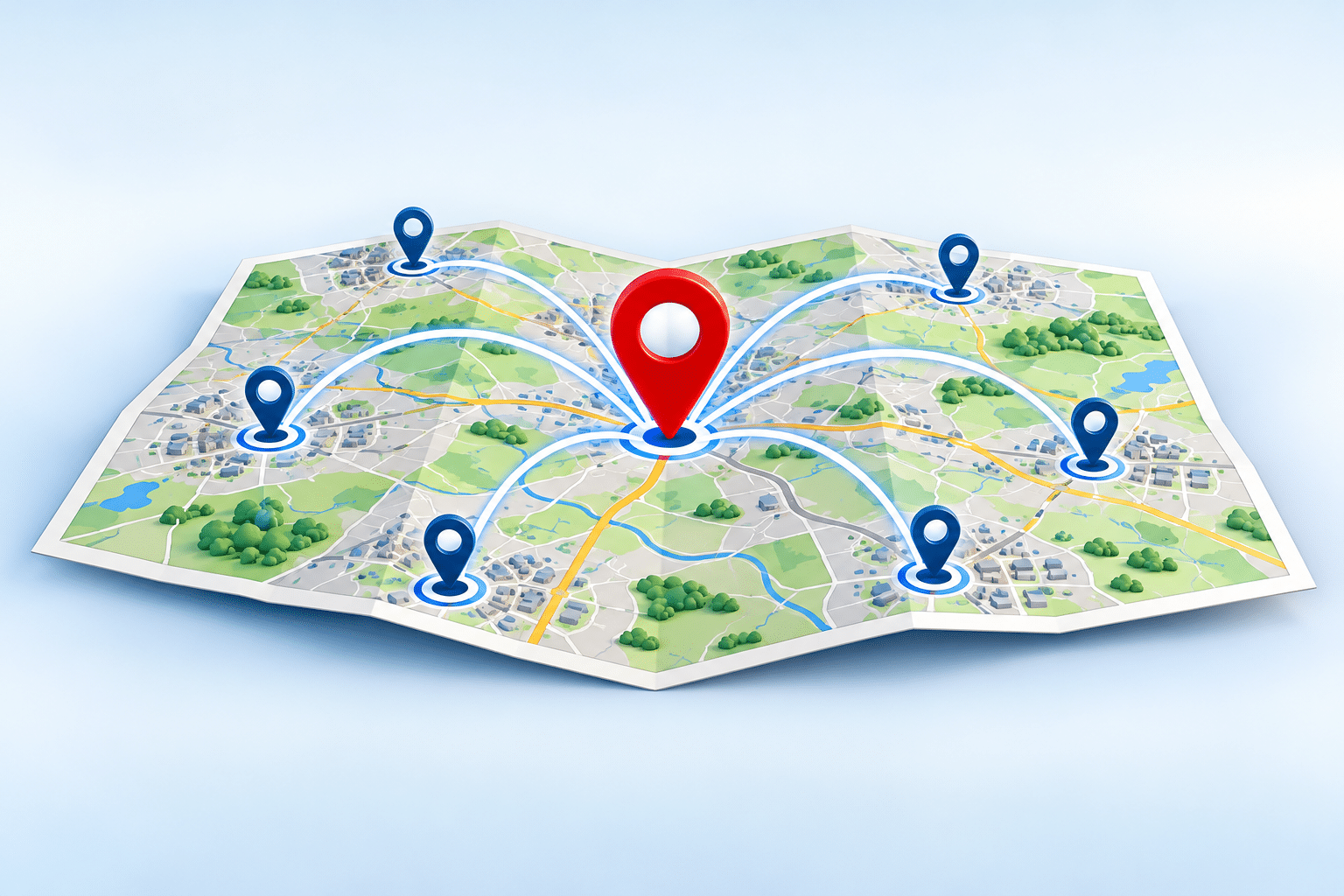
How Can I Get My Business Found in Nearby Towns?
Your business might be doing well in your own town, but what about all the potential customers living just a few miles away? If you run a cleaning company, plumbing business, beauty service or another local business, there’s a good chance you could serve people in several surrounding towns.
The problem is that customers searching online in those other towns might never come across your business. Instead, they find competitors who appear more local, even when you’re perfectly happy to travel to them.
Learning how to get your business found in nearby towns can help you reach more potential customers without opening another office or moving your business. However, you need to make it clear where you work, what you offer and why someone outside your immediate area should consider you.
To get your business found in nearby towns, make sure your website clearly explains which areas you serve, update your Google Business Profile with accurate service areas, and create useful local content for the towns you genuinely cover. Customer reviews, local recommendations and relevant links can also help establish trust.
You don’t normally need a separate business address in every town. However, appearing in Google’s map results can be harder farther away from your real business location because distance affects local rankings. A good approach combines an accurate business profile with useful website pages and a strong reputation.
Why Nearby Towns Are Worth Targeting
Many small businesses think of themselves as serving one town, even though their working area is much larger. A plumber might be based in [Your Area] but regularly travel to several neighbouring towns. A mobile beauty therapist might cover a number of local communities, while a commercial cleaning company may be happy to travel considerably further for the right contract.
If your website only mentions your home town, customers elsewhere may assume you don’t cover their area. They might leave without enquiring, even if your business would be a suitable choice.
Expanding your local visibility doesn’t necessarily mean expanding your business premises. It can simply mean explaining your existing coverage more clearly and helping customers understand that you already work in their area.
Not every nearby town is equally valuable
It’s tempting to target every town within driving distance. However, some locations will be more practical and profitable than others. A small repair job that requires a long journey might not be worthwhile, while a larger building project could justify travelling much further.
Think about the services you offer, the time spent travelling, local demand and whether you can provide a good customer experience in each location. A sensible service area should fit the way your business actually operates.
How Google Decides Which Businesses to Show in Nearby Towns
Google doesn’t automatically show every business that says it covers a particular town. According to Google’s guidance on local rankings, local results are mainly influenced by relevance, distance and prominence.
| Factor | What it means | What you can do |
|---|---|---|
| Relevance | How closely your business matches what someone searches for. | Clearly describe your services and choose accurate business categories. |
| Distance | How far your business is from the location used for the search. | Keep your location accurate and understand that distance can limit map visibility. |
| Prominence | How well known and established your business appears to be. | Build genuine reviews, relevant mentions and a trustworthy online presence. |
For example, imagine an electrician based in [Your Area] who wants enquiries from another town. A customer searching for an electrician there may see businesses physically based closer to them. Even if our example electrician covers that town, Google may favour closer businesses for some searches.
That doesn’t mean the electrician has no opportunity. A useful website page explaining the services available in that town may appear in ordinary search results. Customers might also discover the business through recommendations, local directories or links from other websites.
Google Maps and normal website results are different
This distinction matters because Google’s map listings and ordinary website results aren’t exactly the same. The map results are strongly affected by the searcher’s location and the real location of each business. Ordinary website results can provide another opportunity to explain your services in a neighbouring town.
You might therefore struggle to appear among the first few businesses on Google Maps in a distant town while still attracting visitors to a helpful page on your website. It’s worth looking at both types of results rather than judging your progress from the map alone.
Set Up Your Google Business Profile Correctly
Your Google Business Profile helps people discover important information about your business in Google Search and Maps. If you travel to customers, setting up your service areas accurately is a useful starting point.
Google currently allows eligible service-area and hybrid businesses to specify up to 20 service areas using towns, cities, postcodes or other recognised areas. Its general guidance says the overall service area should usually be within about two hours’ driving time of the business base. You can read the official Google service-area guidance for the full requirements.
How to add nearby towns
- Open the Google Business Profile you manage.
- Select Edit profile and then Location.
- Find the Service area setting and choose to edit it.
- Add the towns or areas you genuinely serve.
- Save your changes and check that the information is accurate.
Make sure your business category, contact details, services and opening hours are also correct. These details help potential customers understand what you offer and how to contact you.
Will adding more towns make you rank in them?
No. Adding a town to your service area tells customers where you operate, but it doesn’t guarantee a higher position in that town’s search results. Google’s local ranking system still considers factors such as distance, relevance and prominence.
For a small business owner, the practical lesson is to treat your service-area settings as accurate business information, not as a shortcut to the top of Google. If your profile needs attention, professional Google Business Profile optimisation can help you review how your business is presented.
Google’s rules don’t allow you to invent addresses or use unstaffed virtual offices to make your business appear to be based in other towns. If you travel to customers and don’t receive them at your business address, you should normally hide that address on your profile. Only create additional profiles for genuine, eligible business locations that meet Google’s requirements.
Make Your Website Clear About the Towns You Cover
Your website should answer a simple question: “Does this business actually serve my town?” If someone has to search through several pages to find that information, they may choose another company instead.
Start by reviewing your homepage and main service pages. If you already work in several nearby towns, mention those areas naturally where customers would expect to see them. An area-covered section can be particularly helpful for mobile trades, cleaners, landscapers and other businesses that travel to customers.
Explain what customers can expect
Rather than simply listing place names, give customers useful details about how your service works. A cleaning company could explain which towns it covers for regular commercial contracts. A plumber might explain whether emergency call-outs are available throughout the area or only within a smaller distance.
These details can make the difference between a visitor making an enquiry and leaving the website. People want to know whether you can help them, how the service works and whether there are any extra travel charges.
Use local wording naturally
Think about the way customers describe what they need. Someone may search for “office cleaning in [Nearby Town]” or “emergency plumber near [Nearby Town]”. Your website can use natural versions of these phrases when they accurately describe the service you provide.
Avoid squeezing a long list of towns into every heading or paragraph. Clear writing is more useful than repeating the same location names dozens of times. Search engines and customers both need enough information to understand the page.
Should You Create Separate Website Pages for Each Nearby Town?
Separate location pages can be useful when they give customers genuinely different information about the services you provide in each town. However, you don’t automatically need a page for every place you cover.
For example, a landscaping business might create a page for a neighbouring town where it regularly works. That page could explain the services available, typical project types, travel arrangements and examples of genuine work completed locally, where permission has been given.
The page should help someone living in that town decide whether the business is suitable for them. If it simply repeats the homepage with a different town name, it adds little value.
What makes a useful town page?
A worthwhile page should provide practical information that is specific to the location. It could explain which services are available, any differences in response times, how customers can arrange a visit and what they should know before booking.
If you have genuine customer feedback or photographs from completed work in that town, these may help demonstrate local experience. Only use material you have permission to publish and never invent local projects or reviews.
When is one service-area page better?
If you offer exactly the same service across several nearby towns and have little unique information to share, one well-written service-area page may be the better choice. It can list the places you cover, explain your travel arrangements and link to your main services.
Google’s spam policies warn against doorway pages, including sets of similar location pages created mainly to capture search traffic and funnel visitors elsewhere. Your aim should be to make each page useful, not simply to multiply the number of pages on your website.
Build Trust in Neighbouring Towns
Being found is only part of the challenge. Customers also need a reason to choose your business, especially when they can see other companies based closer to them.
One of the most useful things you can do is make your existing reputation easier to see. Genuine customer reviews can show the quality of your service, while clear photographs and accurate business information can help people feel more confident about contacting you.
Ask customers for honest reviews
After completing a job, you can invite customers to leave an honest review about their experience. Don’t offer rewards in exchange for positive reviews or tell customers what rating to give. A steady collection of genuine feedback is more useful than trying to manufacture a perfect reputation.
When customers naturally mention the town where you worked, that can also help future customers recognise that you cover their area. You should never pressure people to include a particular location or keyword.
Look for genuine local connections
Local suppliers, community organisations, business groups and relevant directories can sometimes help customers discover your company. For example, a builder might have a useful relationship with a local materials supplier, while an accountant may take part in a business networking group in a neighbouring town.
Focus on real connections that make sense for your business. Avoid paying for large numbers of poor-quality directory listings or artificial links simply because someone promises better Google rankings.
Keep your business details consistent
Check that your business name, telephone number and website address are accurate wherever your company is listed. If you move premises or change contact details, update your important listings rather than leaving customers with conflicting information.
For businesses working from home, don’t publish a private address simply to appear in more directories. Use the information that is appropriate for your business type and each platform’s rules.
Choose Which Nearby Towns to Target First
Trying to reach ten new towns at once can spread your time and budget too thinly. A more practical approach is to select two or three locations where you already have a realistic chance of winning worthwhile business.
Start with towns where you already receive occasional enquiries or have completed work. You may understand the customers, travel arrangements and local demand better than you would in a completely unfamiliar location.
| Question | Why it matters |
|---|---|
| Can we reach customers easily? | Long journeys can increase costs and reduce the number of jobs you can complete. |
| Do people there need our services? | Not every location offers the same level of demand. |
| Have we worked there before? | Genuine experience can help you create more useful local content. |
| Can we provide the same standard of service? | Expanding your coverage should not damage the experience of existing customers. |
| Are enquiries likely to be profitable? | More enquiries aren’t necessarily better if travel costs make the work unprofitable. |
Imagine a window cleaning business based in [Your Area] that already has several regular customers in [Nearby Town A]. Winning another few customers on the same route may be more profitable than taking isolated jobs in a town much further away.
This is why local visibility should support your business plan rather than dictate it. The most useful town to target isn’t always the largest or most popular. It’s often the one where you can serve customers well and make the work worthwhile.
Common Mistakes That Can Hold Your Business Back
Some businesses put considerable effort into reaching nearby towns but see little improvement because their approach doesn’t match how customers search or how the business actually operates.
Listing towns without explaining your services
A page containing twenty town names tells visitors very little about what you can do for them. Connect your locations to the services you genuinely provide, along with useful booking or enquiry information.
Creating almost identical town pages
Changing only the location name on dozens of pages is unlikely to make them useful. Give each page a genuine purpose, or combine the information into a clearer service-area page.
Assuming Google Maps works like ordinary website search
A business can have useful website content and still struggle to appear in map results farther from its base. Distance remains an important part of Google’s local ranking system.
Targeting places you cannot serve properly
There’s little value in attracting enquiries from a town if your business cannot provide a reasonable service there. Be clear about travel times, appointment availability and any charges that may apply.
Expecting instant results
Improving local visibility is usually an ongoing process. Website changes need to be discovered and assessed by search engines, while trust and reputation develop over time. No sensible provider should promise that adding a few town names will guarantee first-page rankings.
How Can You Tell Whether Your Nearby-Town Strategy Is Working?
Don’t judge success only by whether your business appears when you search for it yourself. Google results can change according to location, the words used and other factors. A search from your office may look different from one made by a customer in the next town.
Instead, pay attention to what happens after people discover your business. Are you receiving more suitable enquiries? Are customers mentioning towns you wanted to reach? Are those enquiries turning into profitable work?
Useful things to monitor
- Website visits: Check which service and location pages attract visitors through Google Search Console and your website analytics.
- Search queries: Look for searches that include the towns and services you genuinely target.
- Customer enquiries: Ask new customers where they are based and how they found you.
- Bookings and sales: Record which locations produce worthwhile business rather than just website traffic.
- Google Business Profile activity: Review available profile performance information, while remembering that it doesn’t prove rankings in every town.
Consider keeping a simple monthly record of enquiries by town. You don’t need an expensive reporting system to see whether a particular area is becoming more valuable. A spreadsheet showing the location, service requested and outcome of each enquiry may be enough to spot useful patterns.
Give your changes a reasonable period to develop and compare results over several months. If a town produces plenty of website visits but no suitable enquiries, you may need to review the page’s wording, your offer or whether that location is commercially worthwhile.
Expert Insight From Daren Ward

Daren Ward
Founder, A to Z Website Solutions
Having worked in website design and online marketing since 2004, I would encourage small business owners to think about nearby-town visibility from the customer’s point of view, not just from the search engine’s point of view.
One practical check I recommend is to look at your website as though you live in the next town and have never heard of the business. Can you tell within a few seconds whether the company covers your area? Can you see the service you need, understand how to book and find a reason to trust the business?
If those answers aren’t clear, adding more keywords probably isn’t the first thing to fix. I would start by making the existing website easier to understand. Then I would look at which towns are worth targeting with more detailed content.
My advice is to choose a small number of worthwhile towns, make the information genuinely useful and measure the quality of the enquiries you receive. A few profitable new customers can be more valuable than hundreds of extra website visitors who never contact you.
Action Checklist: Start Reaching Customers in Nearby Towns
- Write down the towns you already serve and identify two or three worth targeting first.
- Check that your Google Business Profile uses the correct business category and accurate service areas.
- Review your homepage to see whether customers can easily find the locations you cover.
- Add a clear service-area section explaining where you work and any travel restrictions.
- Decide whether a particular town needs its own genuinely useful page or can be covered on an existing page.
- Review your contact details and important business listings for accuracy.
- Invite recent customers to leave honest reviews without offering rewards for positive ratings.
- Record enquiries by town so you can identify which locations produce worthwhile business.
- Review your progress monthly and adjust your priorities based on actual enquiries and bookings.
Frequently Asked Questions
1. Can my business appear in Google searches for towns where I’m not based?
Yes. Your website may appear in ordinary Google search results for relevant searches in nearby towns, even when your business is physically based elsewhere. However, local map results are influenced by distance, so appearing prominently in Google Maps may be more difficult in towns farther from your actual business location.
2. Do I need a physical address in every town I want to target?
No. Many service businesses travel to customers across several towns without having separate premises in each one. You should use your genuine business location and follow Google’s rules for service-area businesses rather than inventing addresses to create the impression of having extra branches.
3. How many towns should I add to my Google Business Profile?
Google currently allows eligible businesses to specify up to 20 service areas. That doesn’t mean you should automatically use all 20. Choose accurate areas that reflect where you actually provide services, and remember that adding more locations doesn’t guarantee better rankings in those towns.
4. Should I put every nearby town in my website footer?
You can include a short, useful description of your service area in the footer, but avoid filling it with a huge list of repeated town names. A dedicated service-area section or page is often easier for customers to read and gives you more room to explain where you work.
5. Will separate town pages help my business get more enquiries?
They may help when each page answers genuine questions from customers in that town. Useful details about services, availability and local experience can support enquiries. However, pages that simply swap one town name for another are unlikely to offer much value and may create search quality problems.
6. Can I have more than one Google Business Profile?
Additional profiles are only appropriate when you have separate genuine business locations that meet Google’s eligibility requirements. A service-area business cannot create extra profiles simply because it works in several towns. Check Google’s official guidelines before adding another location.
7. How long does it take to get found in nearby towns?
There is no fixed timescale. It depends on your existing website, local competition, search demand and the quality of your business information. Some changes may be reflected fairly quickly, while improvements in organic search visibility and enquiries can take longer. Be cautious of anyone promising a guaranteed ranking by a particular date.
8. Do customer reviews from nearby towns help?
Genuine reviews can help customers decide whether to trust your business, and Google says review information can contribute to local prominence. A review that naturally describes a customer’s experience in a neighbouring town may also reassure other people there. Never purchase reviews or pressure customers to mention specific keywords.
9. Is it better to target a large town or several smaller ones?
It depends on the type of business you run. A large town may offer more potential customers but also greater competition and travel costs. Several smaller towns might provide a better fit for your working routes and services. Start with places where you can offer good service and make a reasonable profit.
10. Can I advertise in nearby towns while working on local SEO?
Yes. Paid advertising can be a separate way to reach customers in chosen locations while you improve your website and business information. However, advertising costs money and doesn’t guarantee profitable enquiries. Set a sensible budget, target places you genuinely serve and measure the results before increasing your spending.
Summary: Reaching More Local Customers Without Moving Premises
Getting your business found in nearby towns is about making your genuine service area clearer and giving customers good reasons to contact you. Your website, Google Business Profile, customer reviews and local reputation all have a part to play.
Start with the towns that make the most sense for your business. Explain where you work, make your services easy to understand and create location-specific pages only when they offer something genuinely useful. Keep your information accurate and don’t expect service-area settings alone to overcome the effect of distance in Google Maps.
Most importantly, measure success through suitable enquiries, bookings and profitable work. Reaching the right customers in two nearby towns may be a better business decision than trying to appear everywhere.
Would You Like Help Improving Your Local Visibility?
If you’re unsure whether your website is doing enough to reach customers in surrounding towns, you can explore our SEO & AI Visibility service. It offers an option for businesses that want professional help reviewing how they can be discovered online, while keeping the focus on the areas and services that matter to their business.
Key Takeaways
- You can target nearby towns without opening a separate office in each location.
- Google Maps rankings are affected by distance, even when your service area includes another town.
- Your website should clearly explain which locations you serve and what customers can expect.
- Separate town pages are worthwhile only when they provide genuinely useful, distinct information.
- Honest reviews and real local connections can help build customer trust.
- Choose locations based on demand, travel costs and your ability to deliver a good service.
- Measure enquiries and profitable jobs, not just website visits or search positions.
Found This Helpful? Share It
If you found this article useful, please share it with other business owners who might find it helpful too.
A quick share on LinkedIn, Facebook or your favourite social platform could help someone else find the advice they need.



