How to Reduce Time-Wasting Enquiries Through Your Website
Getting enquiries through your website should be a good thing. After all, you want potential customers to contact you, ask about your services and give you the chance to win their business.
But what happens when your inbox is full of people asking questions your website should already answer? You spend time preparing quotes for jobs you don’t offer, replying to customers outside your service area or speaking to people whose budgets are nowhere near your prices.
For a busy small business owner, those conversations can take time away from paying customers and running the business. The answer isn’t necessarily to attract fewer enquiries. It’s to help the right people understand your business before they get in touch.
Quick Answer
To reduce time-wasting enquiries through your website, explain your services clearly, show who you work with, give useful pricing guidance and make your service area easy to find. Add answers to common questions and use a short enquiry form that collects the information you need to decide whether a job is suitable.
Make sure customers know what happens after they contact you. Your aim should be to filter out unsuitable enquiries without making genuine customers feel unwelcome. A well-organised website helps people decide whether your business is right for them, saving time for both sides.
Why Do Website Enquiries Waste So Much Time?
Many unsuitable enquiries start with missing information. A visitor likes what they see on your website but cannot work out whether you provide the exact service they need, what it might cost or whether you cover their location.
Rather than finding those answers themselves, they send a message or pick up the phone. You then have to explain the basics before you can even discuss the job.
Imagine you run a cleaning company offering regular commercial cleaning. Your website simply says “Professional Cleaning Services”. You could receive enquiries about one-off domestic cleans, carpet cleaning or end-of-tenancy work, even though you don’t offer them.
Those enquiries aren’t necessarily coming from unreasonable people. Your website may have given them the impression that you provide something you don’t.
Not every enquiry that fails to become a sale is a waste of time
Some customers need advice before they can make a decision. Others may have a suitable project but aren’t ready to buy. A person comparing two electricians or asking an accountant about their process could still become a valuable customer.
The important distinction is between an enquiry that has genuine potential and one that was never suitable for your business in the first place. Your website should help reduce the second type while keeping the door open to the first.
How to Reduce Time-Wasting Enquiries Through Your Website
Start by looking at the questions you answer repeatedly. Those conversations can show you exactly where your website needs to be clearer. You don’t need a complicated system to make improvements, and several changes can be made to existing pages.
1. Explain exactly what you offer
A broad service description can make your business appear to offer more than it actually does. Give each main service a clear explanation, including what is normally included and what falls outside your work.
For example, a landscaper might explain that they offer garden design, patio installation and regular maintenance, but don’t carry out large-scale tree removal. This helps visitors recognise whether they are looking at the right business.
Where your services have different options, explain those differences. A customer who understands your offer is more likely to make a useful enquiry.
2. Say who your services are suitable for
Some businesses serve homeowners, while others work mainly with landlords, offices or commercial properties. Some accept small jobs, while others specialise in larger projects.
If you are a builder who only takes on extensions and major renovations, say so. Someone looking for a minor repair can then find a more suitable tradesperson without either of you spending time on an unnecessary conversation.
Use friendly wording. “We specialise in full bathroom renovations” sounds more welcoming than “No small jobs”.
3. Make your service area clear
If your business only covers certain locations, explain that near the relevant services and contact form. A clear service-area statement can reduce requests from people who live too far away.
For example: “We provide domestic electrical services throughout [Your Area] and surrounding towns. For larger commercial projects, please contact us to discuss locations further afield.”
Be accurate about any exceptions. If you occasionally travel outside your normal area for larger jobs, make that clear rather than excluding potentially worthwhile work.
4. Explain your minimum job size or booking requirements
If you have a minimum call-out charge, minimum order value or minimum booking period, consider explaining it before someone enquires. These details help customers decide whether the service suits their needs.
A cleaning company might state that regular commercial contracts start with a minimum number of hours. A photographer might explain that weekend bookings have a minimum package. Make sure any condition is accurate and easy to understand.
5. Answer the questions people ask most often
Think about the questions that arrive by email, telephone or social media. Customers may ask whether you offer free quotations, how far in advance they need to book, whether you supply materials or whether you work at weekends.
Put the answers on the relevant service pages and use a helpful FAQ section for additional questions. Customers shouldn’t have to contact you simply to discover basic information.
6. Set expectations about your availability
If your next available appointment is several weeks away, visitors may appreciate knowing this. The same applies if you only take bookings on particular days or require an initial consultation.
Keep availability information up to date. An old message about being fully booked can discourage customers long after your diary has reopened.
7. Make the next step clear
Explain whether customers should request a quote, book a consultation, send photographs or provide measurements. Let them know what happens after they submit an enquiry and when they can reasonably expect a response.
When customers know the process, they can provide more useful information from the start. This may reduce unnecessary follow-up messages and repeated questions.
Should You Show Prices on Your Website?
Showing pricing guidance can help reduce unsuitable enquiries, particularly when customers have very different ideas about what a service should cost. However, not every business can give an accurate fixed price without first understanding the job.
You have several options, and the right one depends on how your business works.
| Pricing approach | When it works well | What customers learn |
|---|---|---|
| Fixed price | Standard services or packages | The exact advertised starting cost of a defined service |
| Prices from | Services with optional extras | The lowest typical price and what affects the final cost |
| Typical price range | Jobs that vary in size or complexity | A realistic guide to possible costs |
| Quote required | Highly customised work | What information is needed before a price can be given |
For example, a beauty salon can usually publish prices for standard treatments. A builder quoting for an extension may need drawings, measurements and a site visit before giving a meaningful figure.
If you cannot show a fixed price, explain why. You might also give examples of the factors affecting cost, such as property size, materials, job complexity or frequency of service.
Be careful with “prices from” claims. The starting price should represent a genuine service customers can actually buy, rather than an unrealistic figure used simply to attract attention. Make clear what is included and any extra charges that may apply.
How to Create a Better Website Enquiry Form
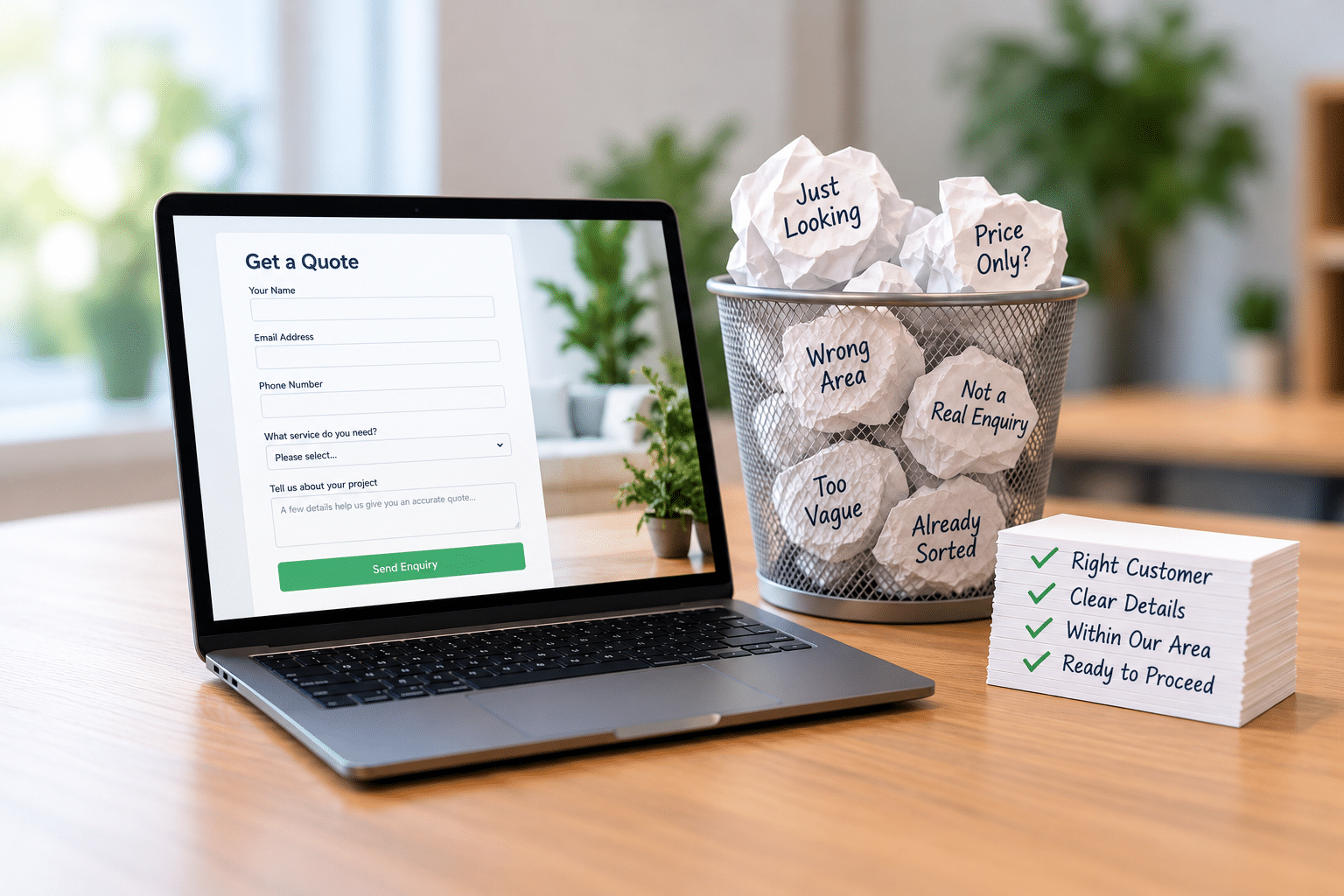
A qualifying enquiry form asks a few useful questions before a customer submits their request. Its purpose is to help you understand the enquiry, not to make visitors complete a lengthy application.
The best questions depend on your business. A plumber may need a postcode and a short description of the problem. A commercial cleaning company may need the property type, approximate size and required cleaning frequency.
Information worth considering
- Service required: A dropdown listing your actual services.
- Location: A town or postcode to check your coverage.
- Project description: A short explanation of what the customer needs.
- Timescale: Whether the work is urgent, planned or flexible.
- Budget: An optional range where it genuinely helps establish suitability.
- Contact details: Only the information needed to reply appropriately.
Avoid asking for information you don’t need. Every additional field gives customers another task to complete, and some people will abandon the form if it feels too demanding.
Example: a cleaning company enquiry form
Imagine your cleaning company mainly works with offices. Instead of a form that only asks for a name, email and message, you could ask visitors to select their property type, location and cleaning frequency.
If someone selects “Domestic home”, the form could politely explain that you specialise in commercial cleaning. You might then give them the option to continue if they have a different commercial requirement.
This is an example of how a form could work, not a claim that every business needs automatic filtering. For many small businesses, a simple dropdown and a few clear questions are enough.
Be careful with privacy and personal information
Only collect information that is necessary for handling the enquiry. Explain how you use submitted details and make your privacy information easy to find.
For UK businesses, the Information Commissioner’s Office guidance on data protection principles explains why personal data should be limited to what is necessary for its purpose.
A customer requesting a quote generally shouldn’t have to supply their date of birth or other unrelated personal details. If you allow file uploads, think carefully about what documents or photographs customers might send and how you will handle them securely.
Website Content That Helps Filter Unsuitable Customers
Your contact form is only one part of the process. The information visitors read before reaching it is often just as important.
Service pages
Each main service page should explain what you provide, who it is for, what is included and how to request the next step. If there are common exclusions or minimum requirements, explain them naturally.
For a business with several different services, dedicated pages can also help customers reach the most relevant information rather than relying on one general description.
Frequently asked questions
A useful FAQ section answers real questions, especially those that regularly take up staff time. Keep answers direct, and update them when your services or policies change.
Don’t hide important conditions in an FAQ if they belong beside your pricing or booking information. Customers should be able to find the details that affect their decision without searching through the whole website.
Examples of suitable work
Showing examples of the kinds of jobs you undertake can help customers understand your services. A kitchen fitter might show small kitchen upgrades separately from full kitchen installations, with clear descriptions of the work involved.
Use genuine examples where you have permission to publish them. Don’t present made-up projects or results as actual customer work.
Clear website wording
Sometimes the issue isn’t missing information but confusing language. A business may use terms that make sense internally but mean very little to customers.
If visitors frequently misunderstand what you offer, reviewing the wording is a sensible first step. Professional website copywriting can also help make service descriptions, customer expectations and enquiry instructions easier to understand.
Can Automation Help Manage Website Enquiries?
Yes, simple automation can help organise incoming enquiries and reduce repetitive administration. It works best after your website has clearly explained your services and your form asks the right questions.
For example, a customer who submits a quote request could receive an automatic confirmation explaining when to expect a reply. Their enquiry could be directed to the appropriate member of staff or placed in a suitable category for review.
Other possibilities include appointment booking, automatic acknowledgement messages and follow-up reminders. These can be helpful when enquiries arrive outside working hours or when a small team handles several different services.
What about AI chatbots?
An AI chatbot may be able to answer common questions, explain service options and collect initial enquiry details. However, it should use accurate business information and make it clear when a customer needs to speak to a person.
Don’t allow an automated assistant to invent prices, confirm appointments it hasn’t actually booked or promise services you don’t provide. It should also have a clear way for customers to reach your business directly.
Automation can save administration time, but it doesn’t replace clear website content or good customer service. Start with the simplest approach that solves a genuine problem.
Don’t Make It Too Difficult for Good Customers to Contact You
Reducing unsuitable enquiries is useful, but too many restrictions can create another problem. A genuine customer may leave because they cannot answer a required question or don’t know enough about the job to complete your form.
For example, a homeowner with a plumbing problem may not know which type of repair is needed. A form that forces them to choose from highly technical categories could be frustrating.
Offer a sensible “Not sure” or “Other” option where appropriate. Keep a clear route for unusual but potentially suitable requests, and avoid making a budget field compulsory unless there is a good reason.
Also remember that some customers prefer telephone contact or may struggle with online forms. Where practical, offer an alternative contact method and make sure your website works comfortably on mobile devices.
Should you hide your telephone number?
Usually, hiding your telephone number simply to discourage enquiries isn’t the best starting point. It may make it harder for genuine customers to contact you, especially when they have urgent questions.
Instead, try placing helpful information close to the number, such as your opening hours, service area or the best way to request a quotation. For some businesses, a dedicated booking or enquiry process will be more suitable than unrestricted telephone enquiries.
How Can You Tell Whether Your Enquiries Are Improving?
Counting how many people contact your business tells only part of the story. A website receiving fewer enquiries could still be performing better if more of those enquiries are suitable and lead to worthwhile work.
For a practical starting point, keep a simple record of enquiries over a few weeks. You don’t need expensive software. A spreadsheet or your existing customer management system may be enough.
Record the enquiry source, the requested service, whether the job was suitable and what happened next. Where useful, record how much time was spent dealing with it.
Three useful measures
- Suitable enquiry rate: The percentage of enquiries that match the services, location and requirements of your business.
- Enquiry-to-customer rate: The percentage of enquiries that become paying customers.
- Time spent per enquiry: How much staff time is used to assess, answer and follow up each request.
For example, suppose you receive 40 enquiries in one month and 12 are suitable. Your suitable enquiry rate is 30%. If, after improving your website, you receive 30 enquiries and 18 are suitable, the rate rises to 60%.
Those numbers are hypothetical and only show how the calculation works. They don’t prove that any particular website change will produce the same result.
Compare similar periods where possible. Seasonal demand, changes in advertising and other business factors can affect the numbers. Give your changes enough time to gather useful information before deciding whether they worked.
Don’t judge success by enquiry volume alone
A business that wins five profitable jobs from 15 suitable enquiries may be in a better position than one that handles 60 messages but wins very little work.
Look at the value and suitability of the work as well as the number of messages. The real goal is to spend more time helping the customers you are equipped to serve.
Expert Insight From Daren Ward

Daren Ward
Founder, A to Z Website Solutions
From my experience working with business websites since 2004, I would recommend looking at the quality of the enquiries before making major changes to the design.
One practical exercise is to review your last 20 enquiries. Write down the reason each unsuitable customer couldn’t proceed. Perhaps they wanted a service you don’t offer, lived outside your area or expected a much lower price.
Then check whether your website answers those points clearly. If the same misunderstanding appears several times, that’s a useful sign that something may need explaining better.
My advice is to improve the information before adding complicated forms or automation. A clear sentence on the right service page can sometimes be more useful than another technical feature. Test the changes and see whether customers arrive better informed.
Action Checklist: Improve Your Enquiries This Week
- Review your last 20 enquiries and identify which were unsuitable and why.
- Check that every main service page clearly explains what you offer.
- Add accurate service-area details where customers will see them.
- Explain minimum booking requirements or starting prices where appropriate.
- Publish answers to five questions customers repeatedly ask.
- Review your enquiry form and remove unnecessary fields.
- Add one or two useful qualifying questions if they will help assess requests.
- Explain what happens after a customer submits an enquiry.
- Test the whole contact process on a mobile phone.
- Track suitable enquiries and staff time before and after your changes.
Frequently Asked Questions
1. How do I stop people asking for services I don’t provide?
Make your services and specialisms clear on your website. Explain what you do, who you serve and any common exclusions. Where confusion happens repeatedly, add a short clarification beside the relevant service description rather than expecting customers to discover it in your terms and conditions.
2. Will showing prices put potential customers off?
Some visitors may decide your prices aren’t suitable for them, which can save both sides time. However, genuine customers may also appreciate having a realistic idea of costs. If fixed pricing isn’t possible, consider a typical range or an explanation of what affects the quotation.
3. Should I make customers enter their budget before contacting me?
Only if knowing the budget genuinely helps you assess the enquiry. Many customers don’t know what a job should cost, so a compulsory budget field could discourage suitable enquiries. An optional range, including “Not sure”, is often a more welcoming starting point.
4. Is a long contact form better for qualifying enquiries?
Not necessarily. A long form may collect more details, but it also asks visitors to do more work. Start with a few questions that directly affect whether you can help. You can always ask for further information once you have established that the enquiry is suitable.
5. Can I automatically reject enquiries outside my service area?
You can use a postcode or location check to explain where you work, but automatic rejection needs care. Postcode boundaries may not match your actual coverage, and some larger jobs may justify travelling further. A helpful message with an option to explain an exception may be more appropriate.
6. How do I reduce enquiries from people who only want a free quote?
Explain what your quotation process includes and whether there are any charges for surveys, visits or detailed assessments. If you offer free estimates, state what information customers must provide. Avoid treating every person requesting a quote as a time-waster, since comparing options is a normal part of buying.
7. Should I use a chatbot instead of a contact form?
A chatbot can be useful for common questions and initial enquiry collection, but it isn’t automatically better than a well-designed form. Consider what your customers find easiest. For some businesses, a straightforward contact form and clear telephone number will be enough.
8. What if customers still ask questions answered on my website?
Check whether the answers are easy to find and written in everyday language. Important information may be buried too far down a page or hidden behind unclear headings. If customers still miss it, consider moving the answer closer to your enquiry button or repeating a brief version where it helps.
9. How long should I wait before judging whether the changes work?
Wait until you have enough enquiries to make a sensible comparison. A busy business may see a pattern within a few weeks, while a company receiving only a handful of enquiries each month may need longer. Compare similar periods and consider any changes in advertising or seasonal demand.
10. Can I reduce time-wasting enquiries without redesigning my whole website?
Yes. Many improvements involve changing wording, adding pricing guidance, updating FAQs or adjusting an existing contact form. A full redesign may be useful when the website is difficult to navigate or the contact process is fundamentally unsuitable, but it shouldn’t be your automatic first step.
Summary
A website should do more than encourage visitors to get in touch. It should help them understand whether your business offers what they need, what to expect and how to make a useful enquiry.
Clear service descriptions, realistic pricing guidance, helpful FAQs and a sensible contact form can all reduce misunderstandings. They also make life easier for genuine customers who want straightforward answers before making a decision.
Start with the questions and unsuitable requests you receive most often. Make the relevant information easier to find, then measure whether the enquiries become more suitable. Improving enquiry quality is an ongoing process, not something you need to solve with one major website change.
Your Next Step
If customers regularly misunderstand what your business offers, start by reviewing your service pages and enquiry instructions. If you would like professional help making those messages clearer, you can explore our website copywriting service.
Key Takeaways
- More enquiries don’t always mean more worthwhile business.
- Explain your services, ideal customers and service area clearly.
- Use genuine pricing guidance to help visitors understand likely costs.
- Keep enquiry forms short but ask questions that establish suitability.
- Answer common customer questions before they reach your inbox.
- Use automation to support your process, not replace clear information.
- Keep contact options accessible to genuine customers.
- Measure suitable enquiries, sales and staff time rather than enquiry numbers alone.
Found This Helpful? Share It
If you found this article useful, please share it with other business owners who might find it helpful too.
A quick share on LinkedIn, Facebook or your favourite social platform could help someone else find the advice they need.