10 Ways to Future-Proof Your Local Business Website
Your local business website might be working perfectly well today. Customers can find your services, read about your business and contact you when they need help. But will that same website still work well in three or five years?
Customer habits change, technology moves forward and search engines keep developing. More people are using AI tools to research businesses, while others still prefer traditional Google searches. At the same time, customers expect websites to load quickly, work properly on their phones and make contacting a business easy.
The answer isn’t to rebuild your website every time something new appears. It’s to create a strong foundation that can adapt as your business and the internet change.
Quick Answer
To future-proof your local business website, focus on making it fast, mobile-friendly, secure, easy to update and genuinely useful to your customers. Keep your business details accurate, improve your local search visibility, prepare your content for AI-powered search and make sure your website can grow with your services.
Regular maintenance, reliable hosting, clear website content and a simple way for customers to contact you are more valuable than constantly chasing new design trends. You can’t predict every future change, but you can build a website that is easier and less expensive to adapt when those changes happen.
What Does Future-Proofing a Local Business Website Actually Mean?
Future-proofing means making sensible decisions now so your website can continue supporting your business as things change. It doesn’t mean your website will never need another update or redesign.
Think about a local electrician who starts by offering domestic electrical repairs. A few years later, the business might introduce commercial maintenance, electric vehicle charger installation or additional service areas. A flexible website should make it reasonably straightforward to add these services without starting again.
Future-proofing also means reducing avoidable problems. A website that’s regularly updated, properly backed up and built using supported technology is easier to look after than one that has been left untouched for years.
10 Practical Ways to Future-Proof Your Local Business Website
1. Make Mobile Visitors a Priority
Your website should work comfortably on smartphones, tablets and desktop computers. Customers may be looking for a plumber while dealing with a leak, checking a garage’s opening hours or booking a beauty appointment during their lunch break.
They shouldn’t have to zoom in to read your text, struggle with tiny buttons or scroll sideways to find important information. Check your homepage, service pages, contact form and navigation on a real mobile phone.
Google uses the mobile version of a website’s content for indexing, so mobile usability also matters for search visibility. A website that looks impressive on a large monitor but works poorly on a phone needs attention.
2. Keep Your Website Fast and Reliable
A slow website can make an otherwise good business look frustrating to deal with. Large images, unnecessary plugins, poor hosting and complicated page effects can all contribute to slower loading.
Test your website using Google PageSpeed Insights. It provides information about performance and user experience, although individual test results can vary.
Pay particular attention to whether the main content appears promptly, whether the page jumps around while loading and whether buttons respond quickly. These are areas covered by Google’s Core Web Vitals.
Don’t worry about achieving a perfect score at the expense of your website’s usefulness. Prioritise problems that affect real visitors.
3. Build a Strong Local SEO Foundation
Local search engine optimisation, usually called local SEO, helps search engines understand what your business offers and where it operates. This matters when someone searches for services in their area.
For example, a cleaning company serving Dartford, Gravesend and surrounding areas should make its genuine service coverage clear. Its website should explain its cleaning services, contact details and the areas where customers can book.
Keep your business name, address where appropriate, telephone number and opening hours consistent across your website and business listings. Maintain your Google Business Profile and choose accurate business categories.
If local visibility needs more attention, our SEO and AI visibility service is one option for reviewing how your business is presented online.
4. Make Your Content Easy to Understand
Your website should answer the questions customers ask before they contact you. What services do you provide? Which areas do you cover? How can someone request a quote? What happens after they enquire?
A landscaper’s website, for example, could explain the difference between garden maintenance, hedge cutting and complete garden redesigns. Separate, helpful service pages make it easier for customers to understand what’s available.
Use clear headings, natural wording and accurate descriptions. Avoid filling pages with repeated keywords or technical terms that your customers wouldn’t normally use.
5. Keep Your Website Secure
Website security is part of protecting your business, not just a technical task. Outdated software, weak passwords and unsupported plugins can create avoidable risks.
Use HTTPS, strong unique passwords, appropriate account permissions and multi-factor authentication where supported. Keep WordPress, themes and plugins updated, and remove software you no longer need.
Make sure you have backups stored somewhere suitable and that you know how to restore them. A backup that has never been tested may not provide the protection you expect.
Important Security Warning
Don’t make major changes to a live website without a reliable backup and a recovery plan. Updates can sometimes cause compatibility problems. For important websites, test higher-risk changes on a staging copy before applying them to the live site.
6. Choose Technology You Can Maintain
A future-ready website should not depend on software that nobody can update or support. Before adding a new feature, consider whether it will continue receiving updates and whether it can work with the rest of your website.
WordPress can be a practical choice because it supports a wide range of business needs, but it still requires maintenance. Other website platforms can also be suitable, depending on your budget, features and the level of control you need.
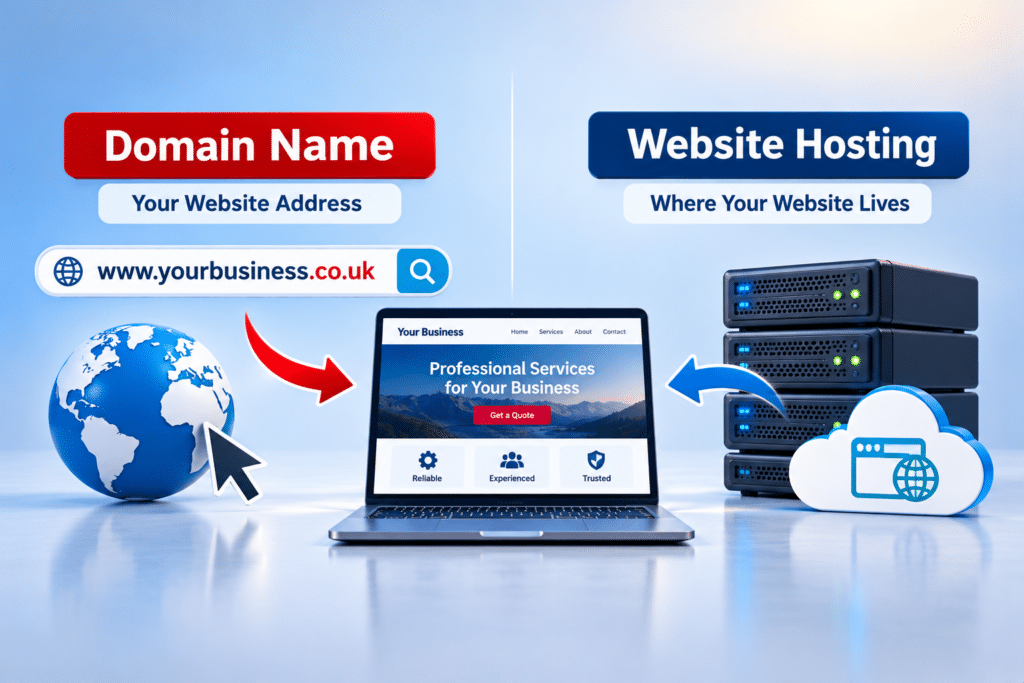
Ask who owns your website, how content can be exported, what happens if you change providers and whether you can access your domain and hosting accounts. These questions matter just as much as the design.
7. Make Enquiries and Bookings Simple
Your website needs to turn interest into useful customer action. A visitor should be able to find your telephone number, contact form, booking option or quote request without searching through several pages.
For a local accountant, a clear enquiry form might ask what type of accounting help the customer needs. For a beauty salon, an easy-to-use appointment booking system might save staff time.
Test your contact forms regularly, including whether messages actually arrive. Also check that confirmation messages work and that telephone links open the dialler on mobile devices.
8. Make Your Website Accessible
Accessibility means making your website easier to use for people with different needs and abilities. This includes visitors who use keyboards, screen readers or larger text.
Use readable text, strong colour contrast, meaningful image descriptions and properly labelled forms. Make sure important information isn’t communicated through colour alone.
The W3C Web Accessibility Initiative provides useful guidance. Improving accessibility can also make the website easier for many other customers to use.
9. Measure What Your Website Actually Achieves
Visitor numbers can be useful, but they don’t tell the whole story. A website attracting hundreds of visitors without any genuine enquiries may need more attention than a smaller website generating regular bookings.
Where appropriate, use Google Search Console to understand search visibility and a suitable analytics setup to measure useful actions. These could include completed contact forms, booking requests or clicks to call your business.
Respect visitors’ privacy and check that any analytics or tracking tools are configured in line with applicable UK data protection and cookie rules. Don’t collect information simply because a tool allows it.
10. Review Your Website Regularly
Future-proofing isn’t a one-off project. Your services, prices, staff, opening hours and customer expectations may change throughout the year.
Set aside time every few months to review important pages. Check that your services are accurate, links work, images are current and customers can still contact you easily.
A simple review routine helps you spot small issues before they become expensive or embarrassing problems.
How Can You Prepare Your Local Business Website for AI Search?
AI-powered search is another reason to make your website information clear and trustworthy. People can now use services such as ChatGPT, Google AI-powered search features and Microsoft Copilot to ask questions about businesses and services.
These systems do not all discover, retrieve or recommend businesses in the same way. Being mentioned by one system doesn’t mean another will mention you, and no website change can guarantee an AI recommendation.
However, there are sensible steps you can take without rebuilding your website around AI.
Explain Your Services Clearly
Write useful descriptions of your services, the problems they solve and the customers they help. If you run a local garage, explain whether you offer servicing, MOT testing, diagnostics or particular repair work.
Use natural questions and answers where they genuinely help customers. Make each important service easy to find from your website navigation.
Keep Business Information Consistent
Use accurate contact information across your website, Google Business Profile and other relevant listings. Make sure business descriptions and service areas are not contradictory.
Where appropriate, structured data can help search engines understand business details. Structured data is information added to a website’s code to describe things such as the business, its location and opening hours. It is not a guarantee of enhanced search results or AI mentions.
Build Real Trust
Include genuine customer reviews where you have permission to display them, clear business information and evidence of the work you actually provide. Keep testimonials accurate and avoid inventing awards or achievements.
Google’s helpful content guidance supports creating reliable information for people rather than content written mainly to manipulate rankings.
For most small businesses, the sensible approach is to improve the quality and clarity of their website first, then review new AI search developments as more evidence becomes available.
How Can Your Website Grow With Your Business?
Your website should reflect where your business is going, not only what it offers today. You don’t need to pay for features you may never use, but you should avoid decisions that make future changes unnecessarily difficult.
Imagine a local cleaning business that begins with domestic cleaning. Later, it introduces commercial contracts, end-of-tenancy cleaning and online booking. A well-organised website can add dedicated service pages and booking features as demand develops.
Before making a major website decision, ask yourself these questions:
- Can I add new services without rebuilding the entire website?
- Can I expand into genuine new service areas?
- Can customers book or request quotes in different ways?
- Can I change my hosting or website provider if necessary?
- Can the website support more content and visitors as the business grows?
Also consider the difference between a useful improvement and an unnecessary extra. An online booking system may save a busy salon time, but a simple contact form might be perfectly suitable for a small gardening business.
Why Website Maintenance Matters for the Future
Even a professionally built website needs ongoing care. Software changes, security issues appear and content becomes outdated. Without maintenance, a website can gradually become less reliable.
For a WordPress website, maintenance normally includes checking updates, backups, security, forms and general website operation. The exact routine depends on the website’s complexity and how important it is to your daily business.
If you prefer someone else to handle the technical work, our WordPress maintenance service provides an option for ongoing support.
Whether you manage the website yourself or use a professional, make sure someone has clear responsibility for checking it. A website should never be left without an owner who knows when something needs attention.
What Should a Small Business Spend Money on First?
If your budget is limited, you don’t need to improve everything at once. Start with the problems most likely to affect customer trust, enquiries or website reliability.
| Priority | What to Check | Why It Matters |
|---|---|---|
| First | Broken forms, security issues, mobile problems | These can stop customers contacting you or expose the business to risk. |
| Next | Slow pages, unclear services, outdated details | These can frustrate customers and weaken trust. |
| Then | Local SEO, useful content, accessibility | These help people discover, understand and use your website. |
| Later | Extra booking tools, automation and design features | These may be valuable when there is a clear business need. |
For example, there’s little value in paying for a new AI chatbot if your existing contact form doesn’t work. Likewise, a complete visual redesign may not be the first priority if customers already like the website but can’t find your telephone number.
Fix what is holding your business back before paying for features that simply look impressive.
Expert Insight From Daren Ward

Daren Ward
Founder, A to Z Website Solutions
Having worked in website design and online marketing since 2004, my advice is to avoid confusing a modern-looking website with a future-ready one.
A design can look excellent today but still be difficult to update, slow on mobile phones or unclear about what the business actually offers. I would rather see a local business invest in a website that customers find easy to use and the owner can maintain properly.
I also recommend keeping control of your domain name, website access and backups. If you ever need to change providers, expand your services or move to different hosting, that control can make the process much easier.
My practical recommendation is to review your website at least every three months and make improvements based on genuine customer needs, rather than changing things simply because a new technology is attracting attention.
Common Future-Proofing Mistakes to Avoid
One mistake is assuming a website is finished once it goes live. A business can change significantly over a few years, but its website may still show old services, outdated photographs and incorrect opening hours.
Another mistake is installing too many plugins or features without considering whether they are necessary. Every additional tool may introduce costs, maintenance requirements or compatibility concerns.
It’s also unwise to rely entirely on one source of customers. Google Search, social media platforms and AI search tools can change how they display information. Building a recognisable business, keeping your own website useful and maintaining customer relationships gives you a stronger foundation.
Finally, don’t assume that every emerging technology requires immediate investment. Test new ideas on a small scale and judge them by whether they improve customer experience or business results.
Your Local Business Website Action Checklist
- Open your website on a mobile phone and test the menu, buttons and contact form.
- Check your main pages using Google PageSpeed Insights.
- Confirm your telephone number, opening hours and service areas are correct.
- Review your Google Business Profile for outdated information.
- Check whether your website software, themes and plugins need updating.
- Confirm that recent backups exist and can be restored.
- Read your main service pages as though you were a first-time customer.
- Check whether your website answers common customer questions.
- Review who controls your domain, hosting and website accounts.
- Set a date for your next website review.
Frequently Asked Questions
1. How often should I update my local business website?
Review important business information whenever something changes, and carry out a wider content and usability review about every three months. Security updates may need attention much sooner, depending on the issue and the software involved.
2. Will my website become outdated if I don’t use AI?
Not necessarily. A clear, secure, useful website can still serve customers well without an AI chatbot or other AI feature. Preparing your information for AI-powered discovery is sensible, but adding AI tools should depend on a genuine business need.
3. Do I need to redesign my website every few years?
There is no fixed redesign timetable. If your website remains fast, accessible, secure and effective, smaller improvements may be enough. A redesign becomes more sensible when the structure, technology or customer experience no longer meets your needs.
4. Is WordPress suitable for a future-proof business website?
WordPress can be a suitable platform for many local businesses because it supports different types of content and functionality. However, the quality of the build, ongoing maintenance, hosting and choice of plugins all affect long-term reliability.
5. Can future-proofing improve my Google rankings?
Some improvements, such as better content, mobile usability and technical accessibility, may support search performance. However, no collection of website changes guarantees higher rankings. Competition, relevance and other search factors also matter.
6. What happens if my website hosting company closes?
Your options depend on who controls your domain, website files and backups. Keeping access details and usable backups can make moving to another provider easier. Ask your current provider how a website migration would work before you need one.
7. Should I add online booking to my website?
Add online booking when it solves a real customer or staff problem. Businesses with fixed appointment slots may benefit more than those providing individually priced work. Consider software costs, administration and how bookings fit your existing process.
8. How can I tell if my website is too slow?
Try it on a normal mobile connection and test several pages with PageSpeed Insights. Look for delayed content, unresponsive buttons and elements that move while loading. If customers regularly report problems, investigate even if a testing tool gives a reasonable score.
9. Do I need a website maintenance contract?
No, not every business needs a paid maintenance contract. You can manage a suitable website yourself if you have the time and knowledge. The important thing is that updates, security checks, backups and fault monitoring are handled consistently.
10. What’s the most important first step?
Start by testing whether customers can find your services and contact you easily. Then check security, backups and mobile performance. These basics usually deserve attention before advanced features or major design changes.
Summary: Build a Website That Can Adapt
Future-proofing your local business website isn’t about predicting exactly how the internet will work in five years. It’s about making your website easier to maintain, improve and expand as your business changes.
Start with the foundations: a good mobile experience, fast loading, clear services, accurate business details, reliable security and working enquiry methods. Then look at local search visibility, accessibility and how your content can remain useful as AI-powered search develops.
A website that genuinely helps your customers today is a much better starting point for tomorrow than one built around features that nobody needs.
Would You Like Help Preparing Your Website for the Future?
If your existing website is becoming difficult to update or no longer reflects your business, you can explore our website redesign service. It may help you decide whether targeted improvements or a more complete refresh would make sense.
Key Takeaways
- Future-proofing means preparing for change, not avoiding every future update.
- Mobile usability, speed and clear navigation should come before unnecessary extras.
- Accurate local business information supports customers and search visibility.
- Helpful content provides a sensible foundation for traditional and AI-powered search.
- Security updates, tested backups and reliable hosting reduce avoidable risks.
- Keep control of your domain, website access and important business data.
- Invest in improvements that solve real problems for your customers.
- Review your website regularly as your services and business needs change.
Found This Helpful? Share It
If you found this article useful, please share it with other business owners who might find it helpful too.
A quick share on LinkedIn, Facebook or your favourite social platform could help someone else find the advice they need.